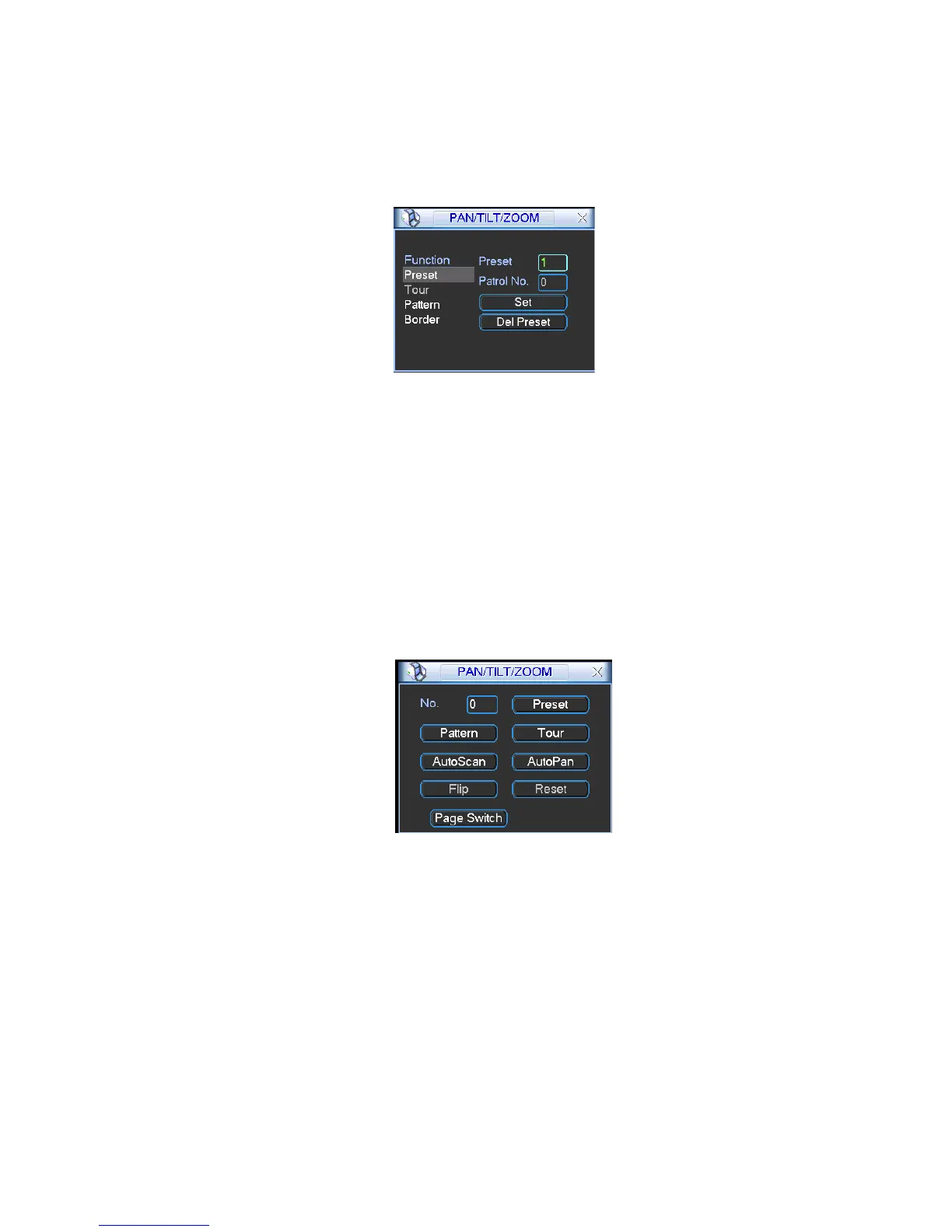
Here you can set the following items:
•
Preset
•
Tour
•
Pattern
•
Border
Figure 4-33
In
X328H328H
328HFigure 4-30, click page switch button, the interface is shown as in Figure 4-34.
Here you can activate the following functions:
•
Preset
•
Tour
•
Pattern
•
Auto scan
•
Auto pan
•
Flip
•
Reset
•
Page switch
Figure
4-34
Note:
•
Preset, tour and pattern all need the value to be the control parameter. You can define it as
you require.
•
You need to refer to your speed dome user’s manual for Aux definition. In some cases, it
can be used for special process.
•
The following setups are usually operated in
the
X328H328 H328 H
Figure 4-30, Figure 4-33 and Figure 4-34.
4.9.1Preset Setup
In Figure 4-30, please use eight direction arrows to adjust camera to the proper position.
In Figure 4-33
X, click preset button and input preset number. The interface is shown as in Figure
4-35


 To Next Page