•
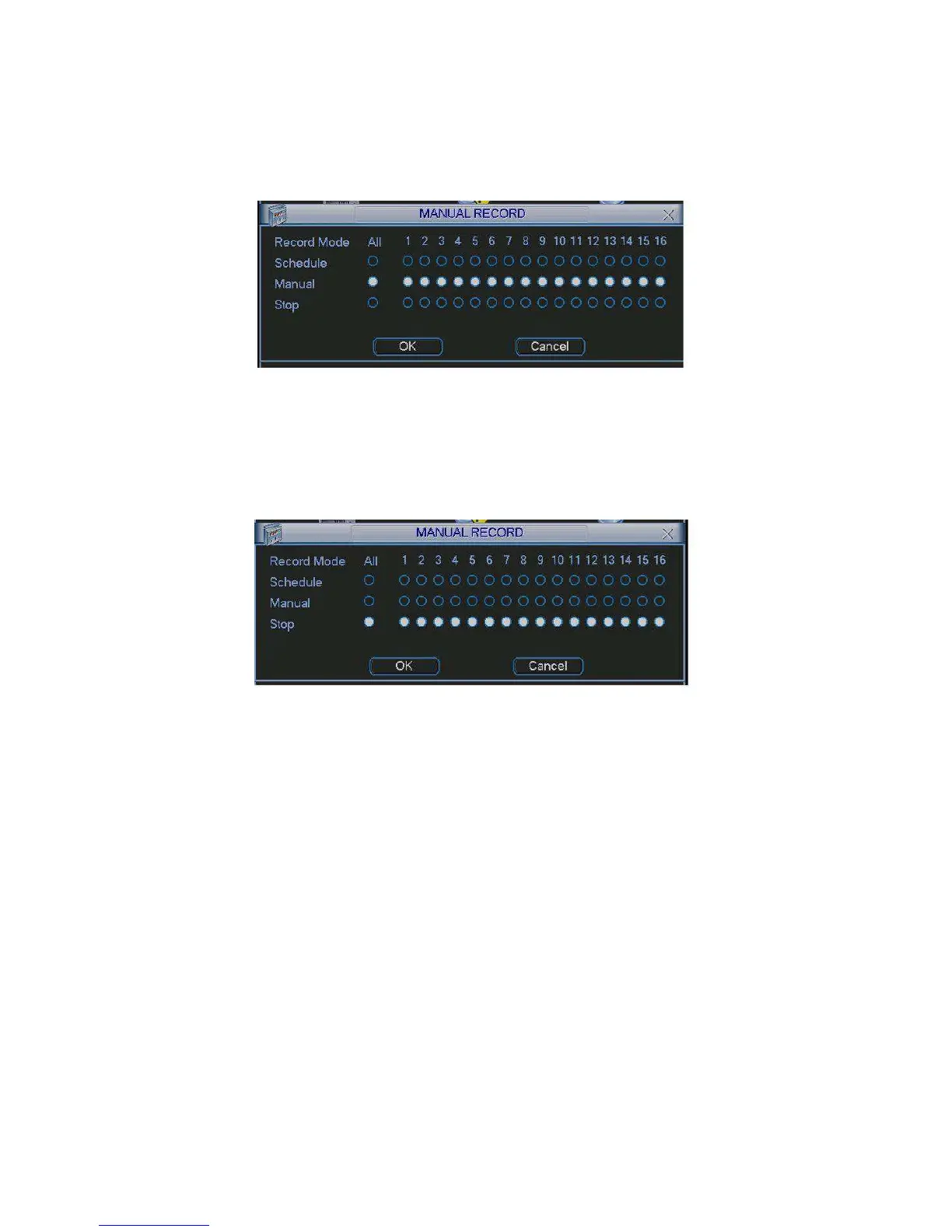
All channel manual record
Please highlight “ALL” after “Manual.” See Figure 4-9.
When system is in manual recording, all scheduled set up you have set in will be null ((Main
menu->Setting->Schedule)).
You can see indication light in front panel turns on, system begins manual record now.
4.2.2.5 Stop all channel recording
Figure 4-9
Please highlight “ALL” after “Stop”. See Figure 4-10.
System stops all channel recording no matter what mode you have set in the menu (Main
menu->Setting->Schedule)
Figure
4-10
4
.
3
S
ea
r
c
h
&
P
l
a
y
b
a
c
k
4.3.1 Search Menu
Click search button in the main menu, search interface is shown as below. See Figure 4-11.
Usually there are three file types:
•
R: Regular recording file.
•
A: External alarm recording file.
•
M: Motion detection recording file.


 To Next Page