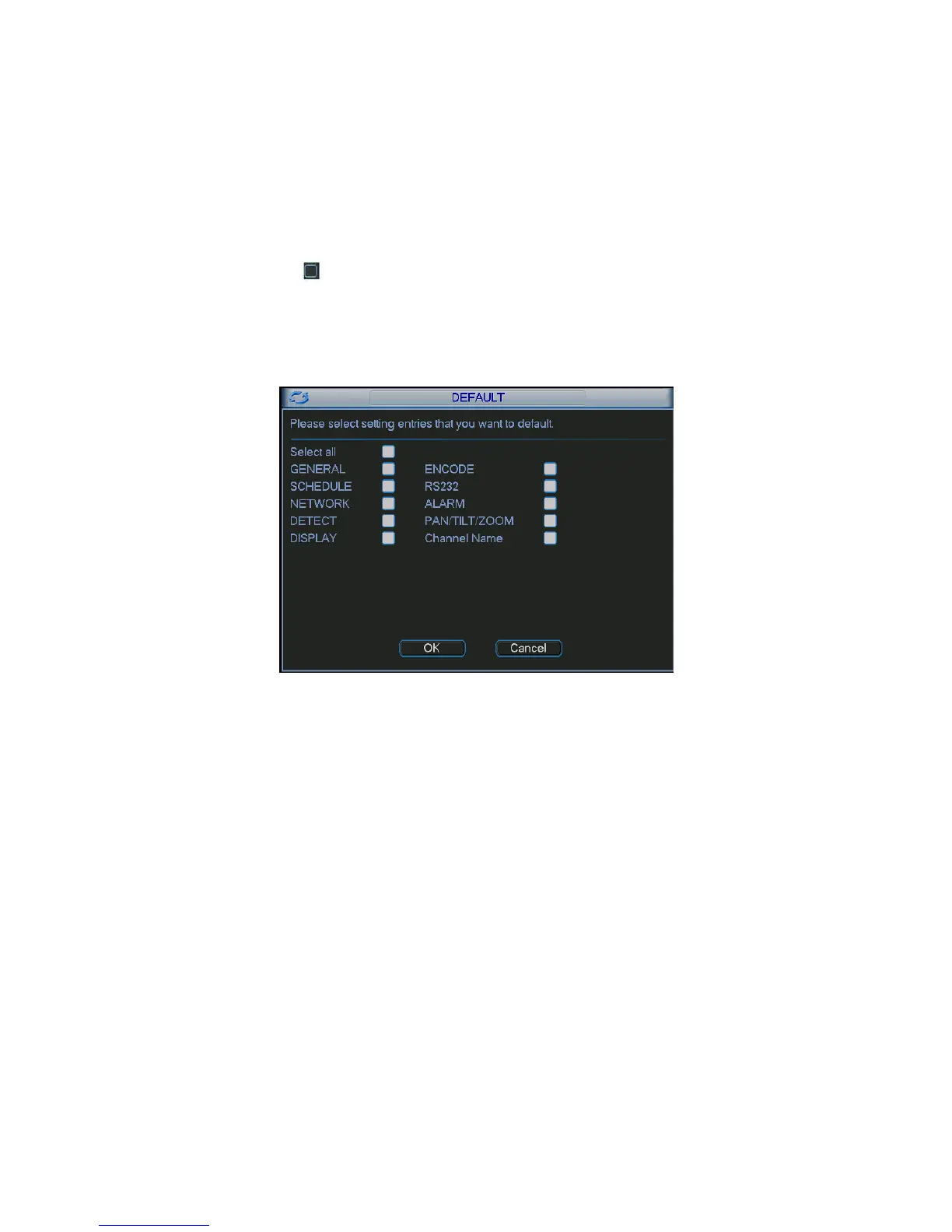
•
Encode
•
Schedule
•
Network
•
Detect
•
Pan/tilt/zoom
•
Display
•
Channel name
Please highlight icon to select the corresponding function.
After all the setups please click save button, system goes back to the previous menu.
Warning!
System menu color, language, time display mode, video format, IP address, user account will not
maintain previous setup after default operation!
Figure
5-27
5
.
4
S
ea
r
c
h
Please refer to chapter 4.3 Search.
5
.
5
A
d
v
a
n
c
e
d
Double click advanced icon in the main window, the interface is shown as below. See Figure
5-28. There are total seven function keys: HDD management, abnormity, record, account, auto
maintenance, TV adjust and config backup.


 To Next Page