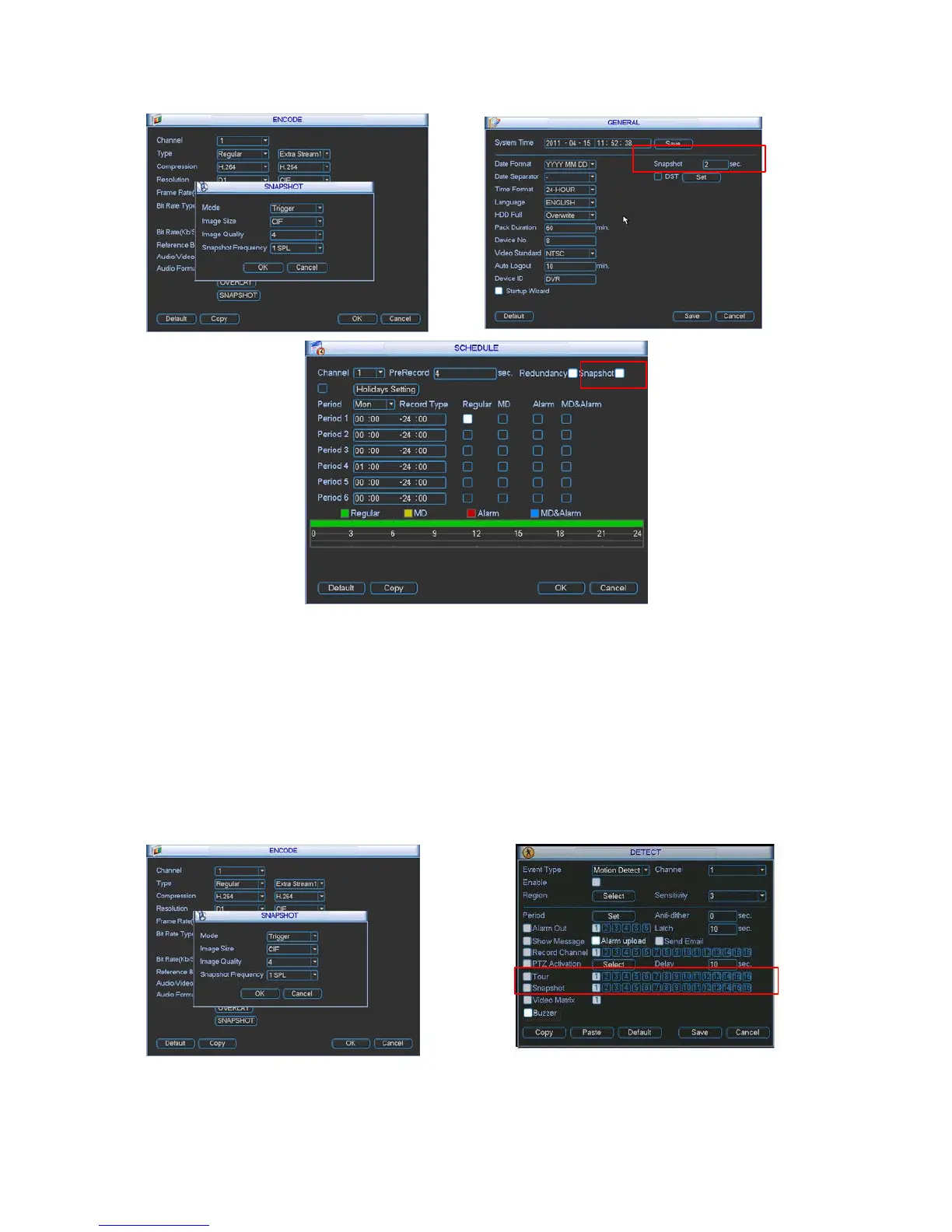
Please refer to the following figure for detailed information. See Figure 4-13.
4.4.2.2 Activation Snapshot
Figure 4-13
Please follow the steps listed below to enable the activation snapshot function. After you
enabled this function, system can snapshot when the corresponding alarm occurred.
•
In Encode interface, click snapshot button to input snapshot mode, size, quality and
frequency.
•
In General interface please input upload interval.
•
In Detect interface please enable snapshot function for specified channels.
Please refer to the following figure for detailed information. See Figure 4-14.


 To Next Page