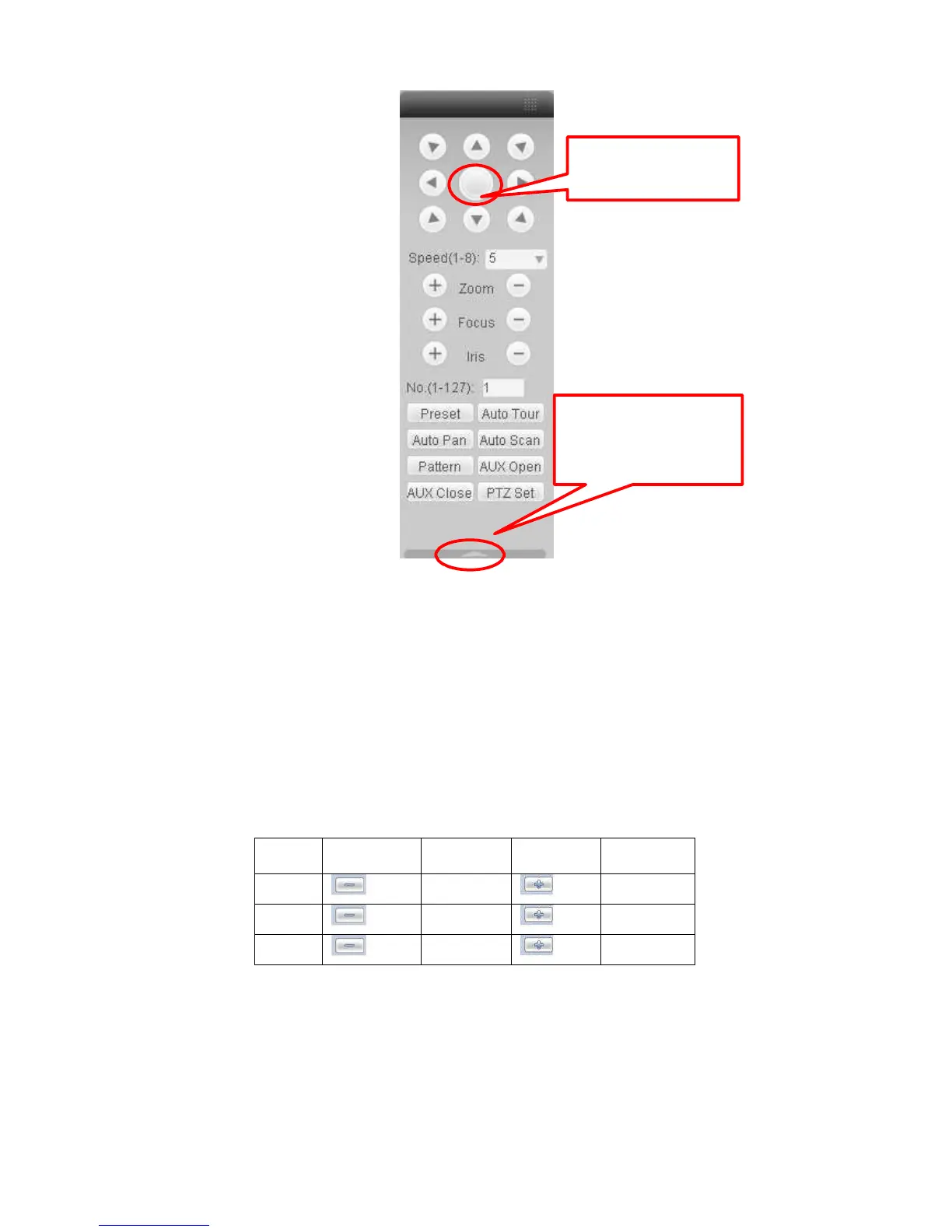
3D Intelligent Positioning
Key
You can click this icon to
display or hide the PTZ
control platform.
Figure
7-11
7.3.2.1 Direction key and 3D positioning key
In Figure 7-10, there are eight direction keys.
In the middle of the eight direction keys, there is a 3D intelligent positioning key.
Click 3D intelligent positioning key, system goes back to the single screen mode. Drag the
mouse in the screen to adjust section size. It can realize PTZ automatically.
7.3.2.2 Speed
System supports eight-level speed. You can select from the dropdown list. Speed 2 is faster than
speed 1.
7.3.2.3 Zoom/Focus/Iris
Here is a sheet for you reference.


 To Next Page