Apex Tool Group GmbH P2398PM | 2018-12 31
Menus and Functions
3
EN
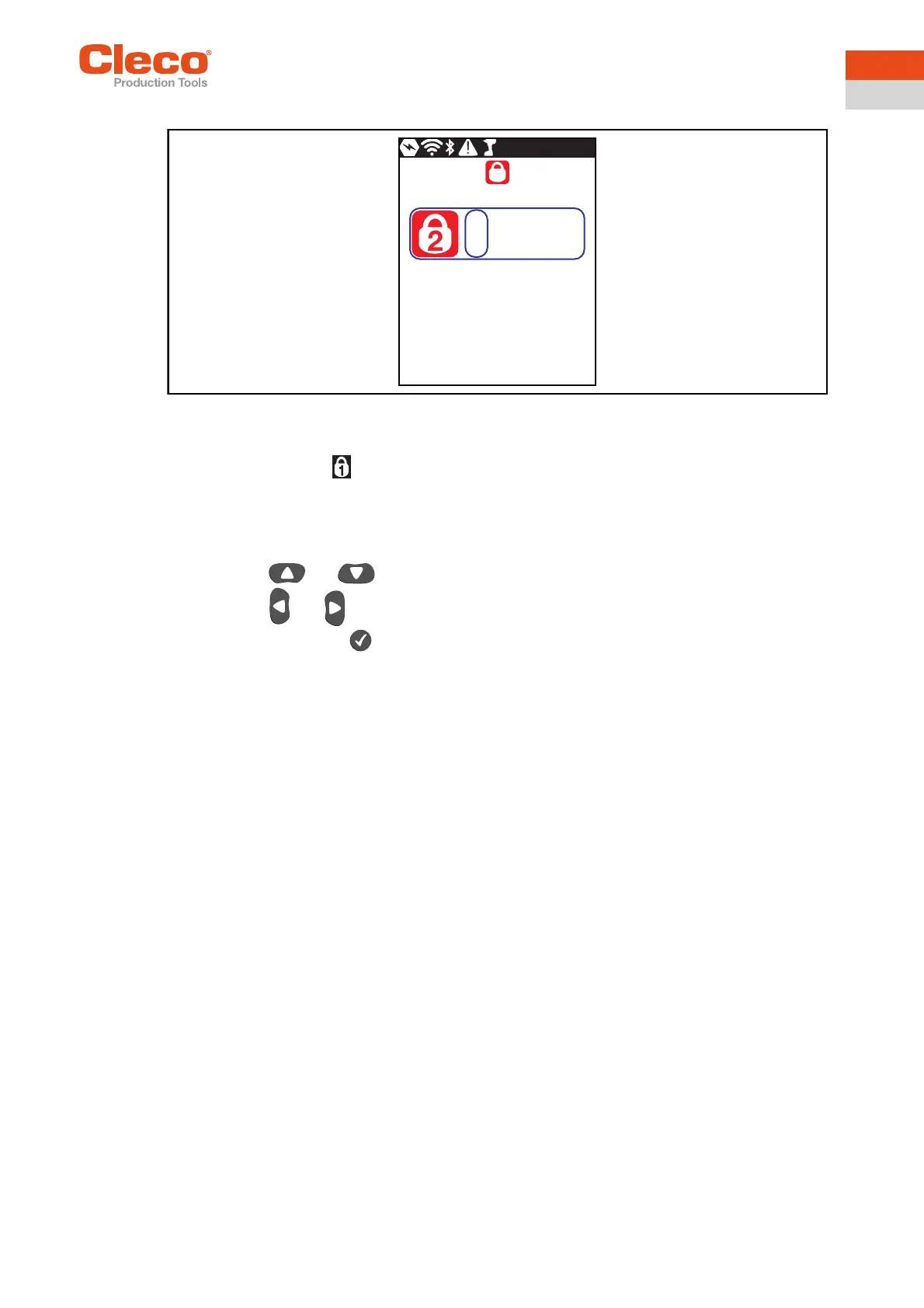
Entering a PIN
Abb. 3-19: Submenu – Entering a PIN
If a PIN is activated, a lock symbol appears in the header and on the respective menu. The number on the
lock symbol in the header indicates the current access level. If a PIN for a higher access level is
required to open a menu, then a lock symbol is also displayed on the respective menu. To open these
menus, a PIN must be entered.
A PIN consists of four numbers. To enter a PIN:
1. Enter four numbers. The number on the lock indicates which PIN must be entered.
- Use the and buttons to increase/decrease the numbers between 0 and 9.
- Use the and buttons to switch between the four input boxes.
2. Confirm the PIN with the button.
→ The PIN is highlighted in green: PIN is correct
→ The PIN is highlighted in red: PIN is incorrect
After unlocking, the tool will lock again if no action is taken for two minutes or if a switch is made to the run
screen.
1000


 To Next Page