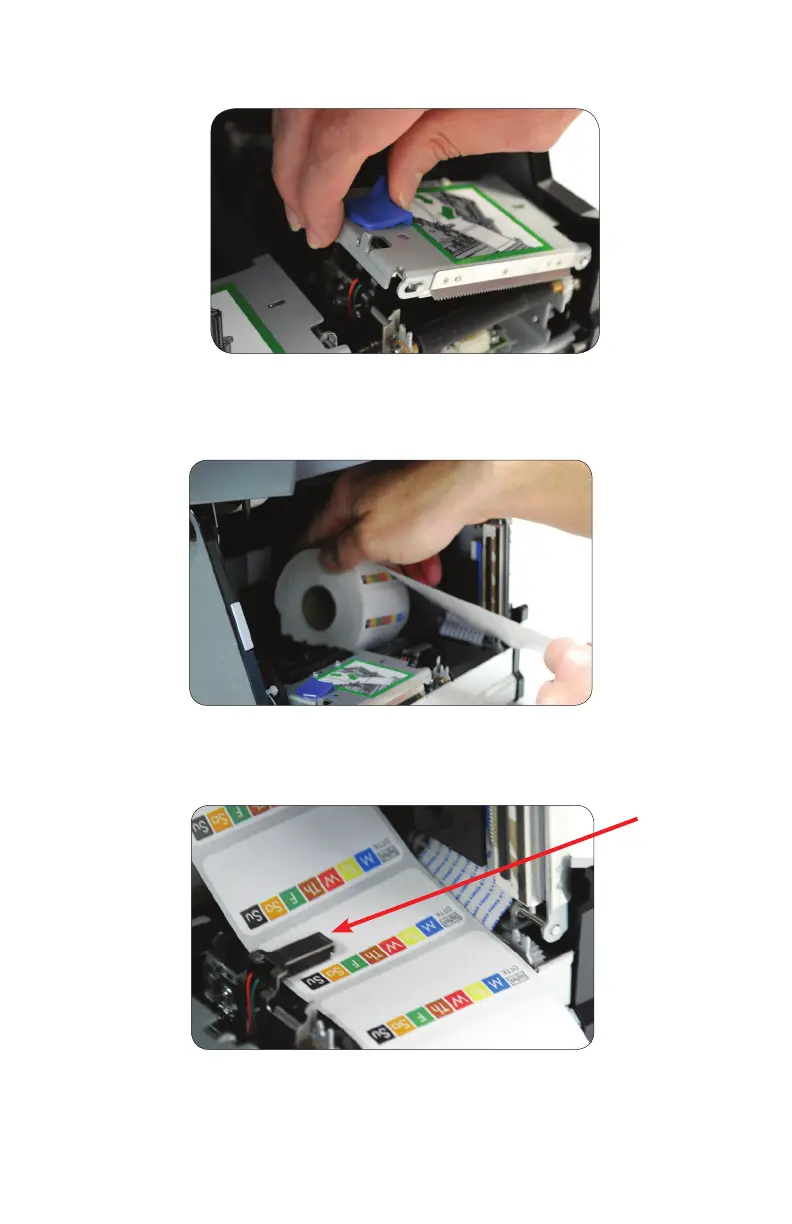
5. Place label stock under the sensor arm in printer mechanism as shown above. Be sure
that the sensor is positioned directly over a label rather than the web (gap) between
labels, leaving three or four labels in front of printer mechanism.
1. INTRODUCING YOUR DAYMARK 9700
6.
3. DayMark and DayMark approved labels can then be placed into the label roll bucket.
The label stock should be coming off the top of the roll.
1. INTRODUCING YOUR DAYMARK 9700
2. Grab blue plastic lock and slide left until the metal top opens.



 To Next Page