1. INTRODUCING YOUR DAYMARK 9700
PRINT HEAD CLEANING INSTRUCTIONS
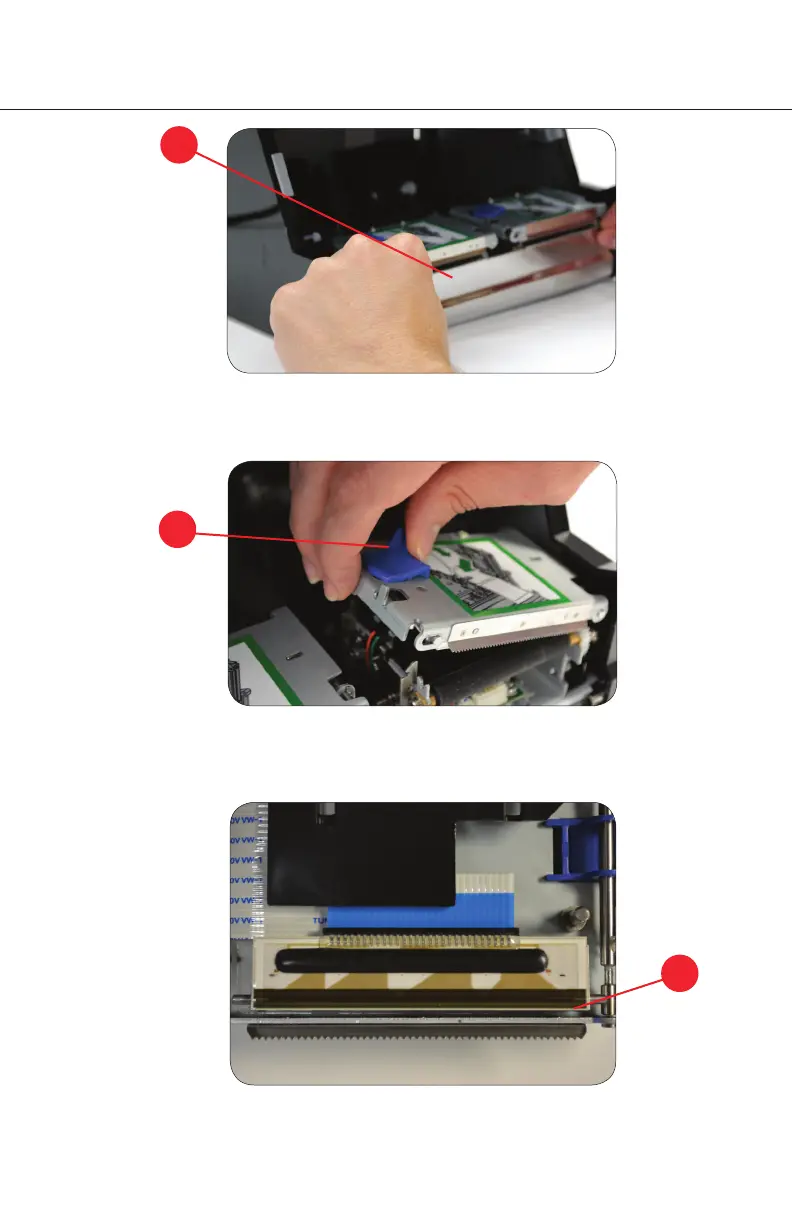
3. Clean the print head with isopropyl alcohol. Use an alcohol swab, alcohol pen or
soft rag slightly damp with alcohol.
3.
2. Grab blue plastic lock and slide left until the metal top opens.
2.
1. Grasp the front terminal door with both hands and pull it forward and down as shown.
1.
1. INTRODUCING YOUR DAYMARK 9700
8.



 To Next Page