112
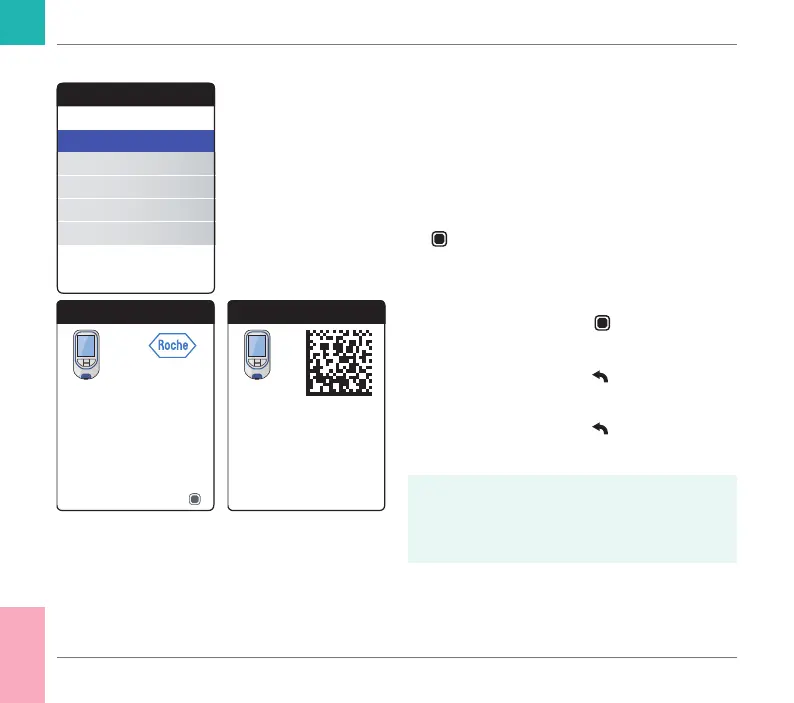
About (manufacturing information and data encryption key)
In case of technical problems the rmware
version is an important piece of information
for Roche Diagnostics customer support.
Sometimes problems can be solved by
applying a rmware update. The About
screen provides such information.
1 Select About and press the Enter button
to open the corresponding menu.
The serial number, rmware version and the
date of the initial setup are displayed.
2 Press the Enter button
to switch to the
data encryption key screen.
3 Press the Back button
to exit this
screen.
4 Press the Back button
again to go back
to the Other menu.
The encryption key can also be found
encoded as a 2D barcode located in the
battery compartment of the meter (batteries
have to be removed).
Other
About
Clear Memory
Meter Log
Display Test
Firmware Update
About
00010000 (01)
Firmware
Model Serial Number
Next
Initial Setup
11 Mar 2018
01.04.00 YT
About
CoaguChek encryption key
01 02 03 04 - 05 06 07 08 -
09 10 0A 0B - 0C 0D 0E 0F
Other Functions and Troubleshooting
CoaguChek INRange User’s Manual



 To Next Page