65
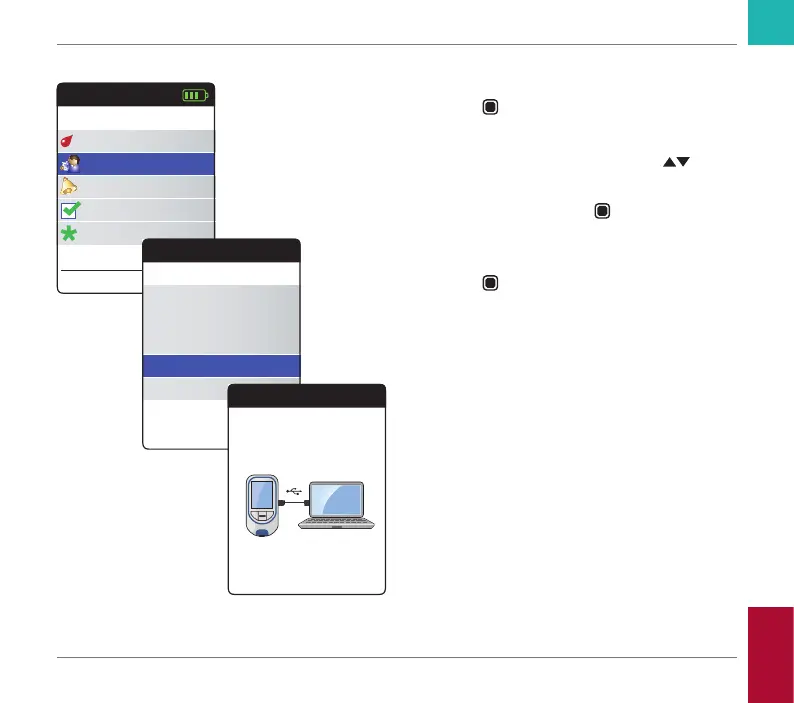
Data transfer via USB
1 Power the meter on by pressing the Enter
button
. Wait until the Main Menu is
displayed.
2 Use the up/down arrows button
to
select My Results.
3 Press the Enter button
to open the My
Results menu.
4 Select Transfer Data and press the Enter
button
to start the data transfer mode.
The meter now waits for a connection to be
established.
Main Menu
Test
17:03
Settings
Reminders
My Results
17 Sep 2018
Other
My Results
Review Results
Trend
Target
Transfer Data
Reports
Transfer Data
Connect USB to
Meter & PC
Reviewing and Handling Data
CoaguChek INRange User’s Manual



 To Next Page