99
Data Transfer
The CoaguChek INRange meter can
communicate with a computer and/or other
devices via USB or a wireless Bluetooth
connection. Using the Data Transfer option
(see the chapter Transferring data starting on
page 64) enables the transfer mode (USB or
Bluetooth) preselected here.
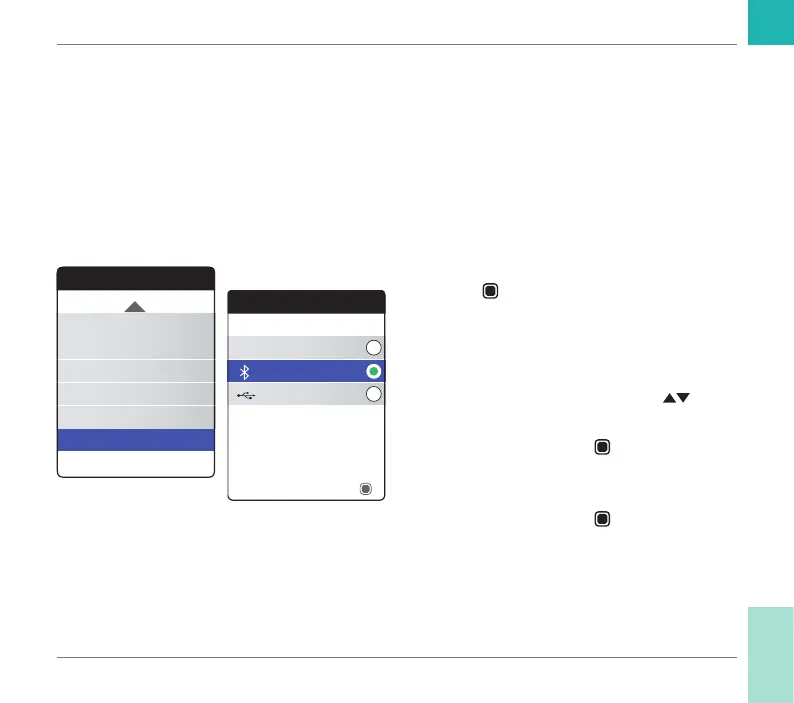
To set up data transfer:
1 Select Data Transfer and press the Enter
button
to open the corresponding
menu.
The currently set transfer mode is indicated
by a green dot on the right.
2 Use the up/down arrows button
to
select the desired transfer mode.
3 Press the Enter button
to conrm the
selection, which is now indicated by the
green dot.
4 Press the Enter button
again to save the
selected transfer mode.
Settings
Beeper Volume
Set Targets
Result Format
Display Brightness
Data Transfer
Button Click
Data Transfer
Bluetooth
None
USB
Save
Reminders and Meter Settings
CoaguChek INRange User’s Manual



 To Next Page