59
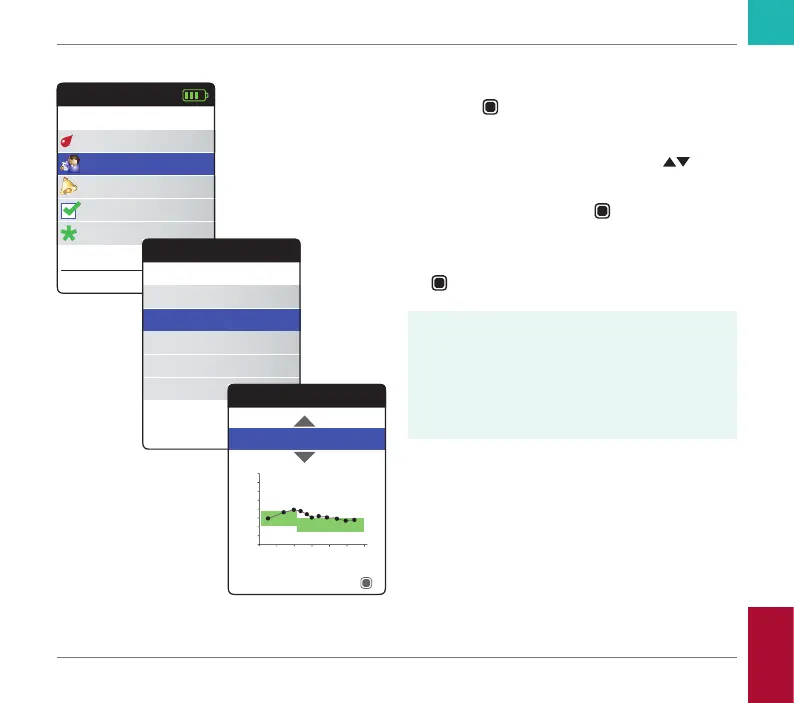
Displaying a Trend report
1 Power the meter on by pressing the Enter
button
. Wait until the Main Menu is
displayed.
2 Use the up/down arrows button
to
select My Results.
3 Press the Enter button
to open the My
Results menu.
4 Select Trend and press the Enter button
to display the report.
In the Trend menu, you have the option of
displaying an overview of your test results
either as a list or as a graph. All test results
stored for the period of time you select will
be displayed in the graph as linear values
(graph view) or as a list (table view).
Main Menu
Test
17:03
Settings
Reminders
My Results
17 Sep 2018
Other
My Results
Review Results
Trend
Target
Transfer Data
Reports
Trend
90 Days
Table
Time
Average: 2.5 INR
INR
Reviewing and Handling Data
CoaguChek INRange User’s Manual



 To Next Page