84
Editing or deleting a reminder
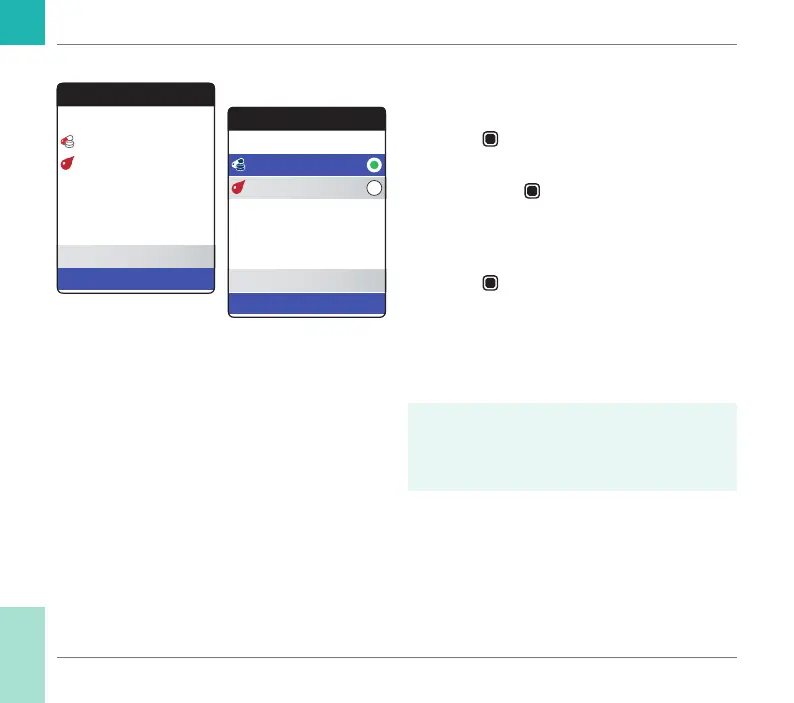
To edit or delete a reminder:
1 Select Edit/Delete and press the Enter
button
to proceed.
2 Select the desired reminder and press the
Enter button
to conrm your selec-
tion. A green dot indicates the selected
reminder.
3 Select Edit or Delete and press the Enter
button
to proceed.
If you have chosen to edit the reminder, pro-
ceed as described in section “New reminder”.
If you have chosen to delete the reminder, it
will be deleted after conrmation.
The Edit/Delete button is only available
if there is at least one reminder listed. The
New button is only available if there are
fewer than four reminders listed.
Reminders
17:30, 17 Sep 2018
Current Reminders
New
Edit / Delete
13:45, Thu 7 Days
Edit Reminders
17:30, 17 Sep 2018
Edit
Delete
13:45, Thu 7 Days
Reminders and Meter Settings
CoaguChek INRange User’s Manual



 To Next Page