20
The CoaguChek INRange Meter
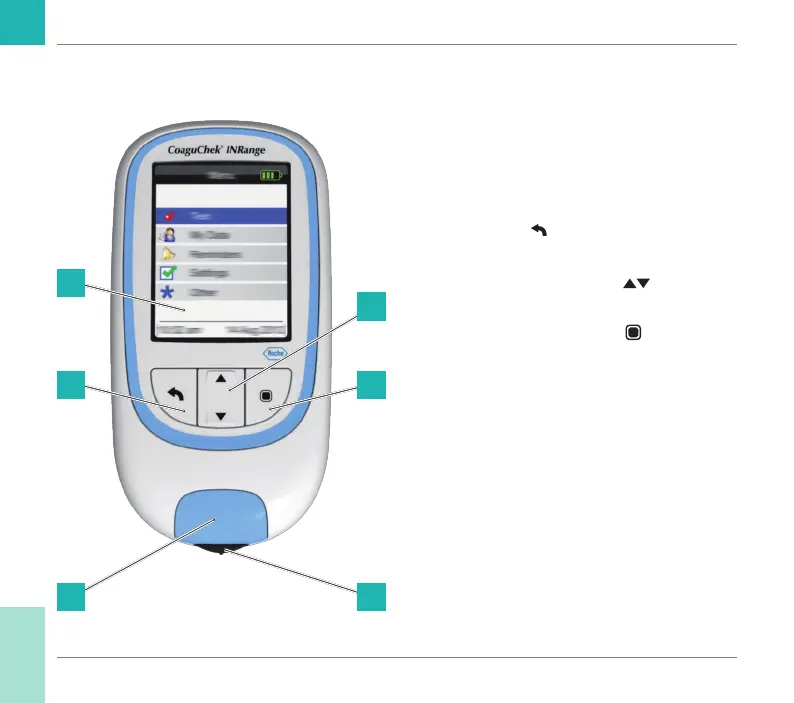
Overview of the meter elements
Overview of the meter elements (front)
A Display
Shows menus, results, messages and
results recalled from memory.
B Back button
Exit the currently displayed menu.
C Up/down arrows button
Move or scroll up/down in a screen.
D Enter button (Power on)
Conrm the currently selected option or
perform a function. Also used to power the
meter on and off.
E Test strip guide cover
Remove this cover to clean the test strip
guide.
F Test strip guide
Insert the test strip here.
A
B
E
C
D
F
Introduction
CoaguChek INRange User’s Manual



 To Next Page