56
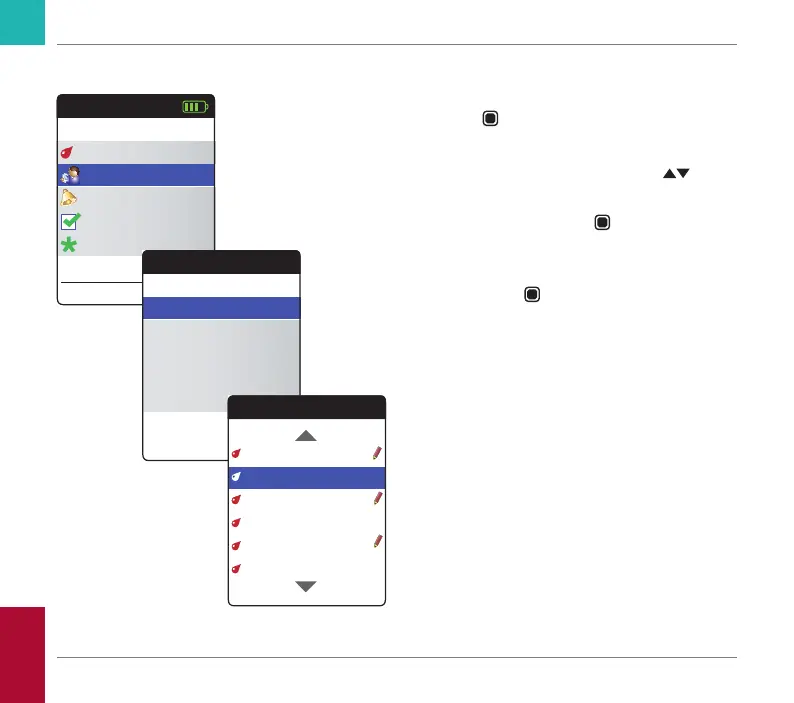
Reviewing test results
1 Power the meter on by pressing the Enter
button
. Wait until the Main Menu is
displayed.
2 Use the up/down arrows button
to
select My Results.
3 Press the Enter button
to open the My
Results menu.
4 Select Review Results and press the
Enter button
to display the results list.
All stored test results are displayed in a list
with the most recent at the top.
Main Menu
Test
17:03
Settings
Reminders
My Results
17 Sep 2018
Other
My Results
Review Results
Trend
Target
Transfer Data
Reports
Review Results
19 Jul 2018 2.5 INR
05 Jul 2018 2.8 INR
29 Jun 2018 2.4 INR
22 Jun 2018 2.9 INR
15 Jun 2018 2.9 INR
12 Jul 2018 2.6 INR
Reviewing and Handling Data
CoaguChek INRange User’s Manual



 To Next Page