75
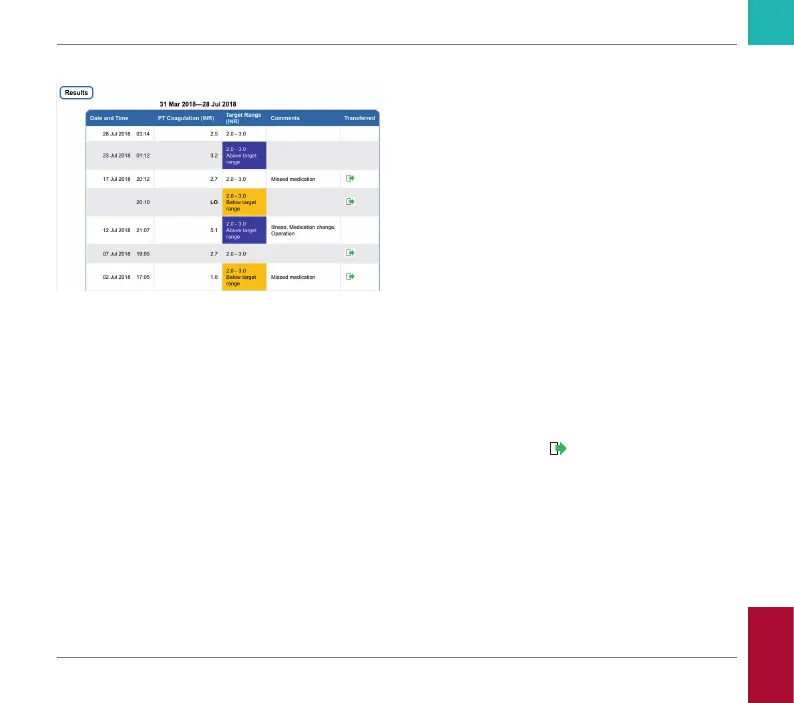
List of results
All test results are listed in chronological
order, with the latest result on top. The list
contains the following columns:
• Date and Time
• PT Coagulation
The result value is shown. If the result is
outside the measuring range, either LOW
or HIGH will be shown.
• Target range
The target range valid at that point in time.
If the result is outside the target range
the cell is colored blue (above) or yellow
(below).
• Comments
• Transferred
The upload icon
indicates that a result
has previously been transferred using
the “Transfer data” function of the meter.
Viewing a report on the computer as
described here does not constitute data
transfer and does not activate this indicator.
Reviewing and Handling Data
CoaguChek INRange User’s Manual



 To Next Page