93
Set Targets
A target range can only be set and used if
the unit is set to INR.
A target range denes the minimum and
maximum values which should be achieved
during therapy. Reports and statistics can
then include information about values within,
above or below this target range.
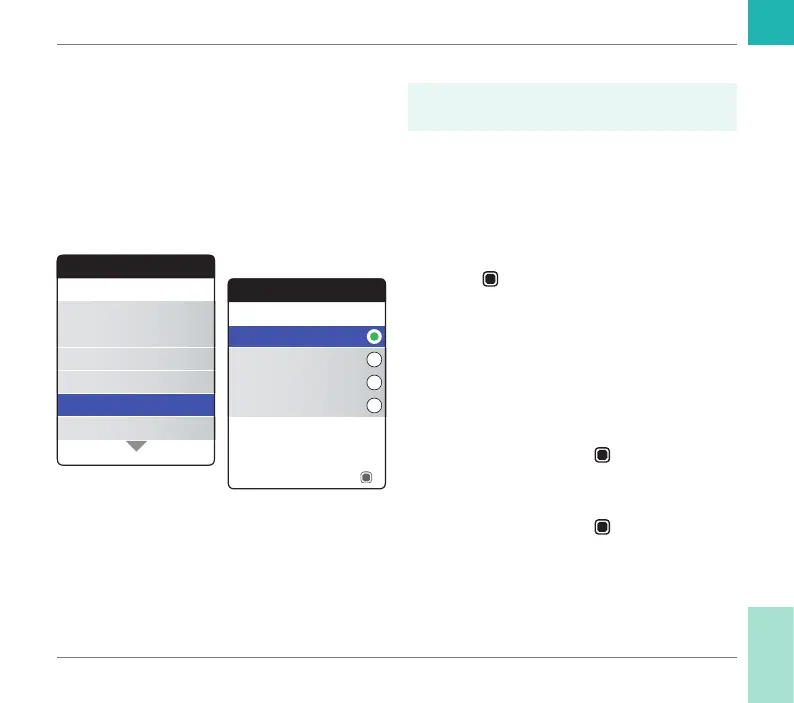
1 Select Set Targets and press the Enter
button
to open the corresponding
menu.
The currently selected time period, which will
be used as the default time period for reports
and statistics, is indicated by a green dot on
the right.
2 Select the desired time period.
3 Press the Enter button
to conrm the
selected time period, which is now indi-
cated by the green dot.
4 Press the Enter button
again to proceed
to the next step.
Settings
Beeper Volume
Set Targets
Result Format
Language
Units
Time & Date
Set Targets
60 Days
180 Days
90 Days
120 Days
Time Period
Next
Reminders and Meter Settings
CoaguChek INRange User’s Manual



 To Next Page