88
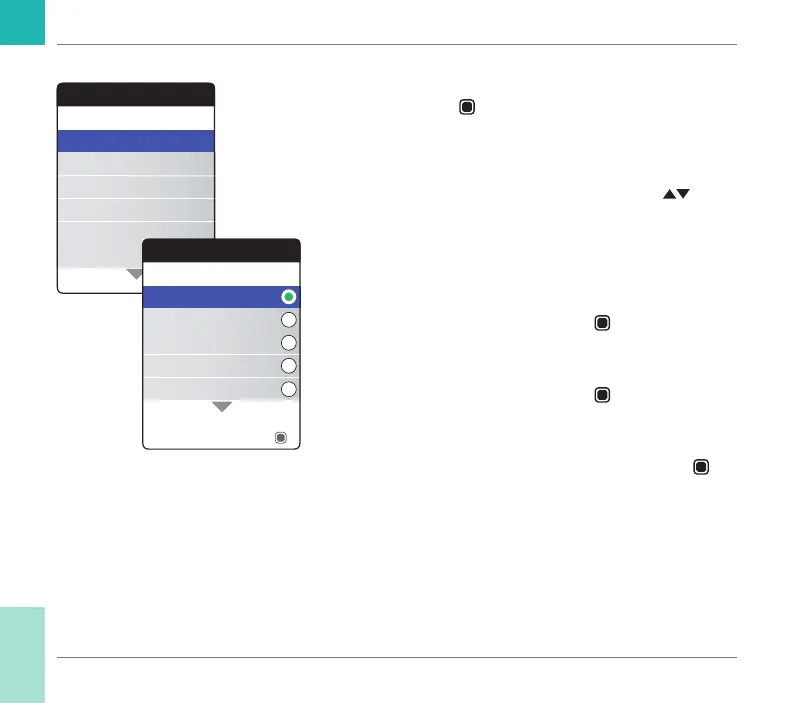
Language
1 Select Language and press the Enter but-
ton
to open the corresponding menu.
A green dot indicates which language is cur-
rently active.
2 Use the up/down arrows button
to
select your preferred language. The newly
selected language is highlighted (blue).
Arrow symbols at the top and/or bottom of
the screen indicate more entries above or
below the currently visible part of the list.
3 Press the Enter button
to conrm the
selection, which is now indicated by the
green dot.
4 Press the Enter button
again to save the
selected language.
5 On the following conrmation screen select
Conrm and press the Enter button
to
switch the meter to the selected language.
Settings
Beeper Volume
Set Targets
Result Format
Language
Units
Time & Date
Language
Nederlands
Español
English
Français
Deutsch
Save
Reminders and Meter Settings
CoaguChek INRange User’s Manual



 To Next Page