63
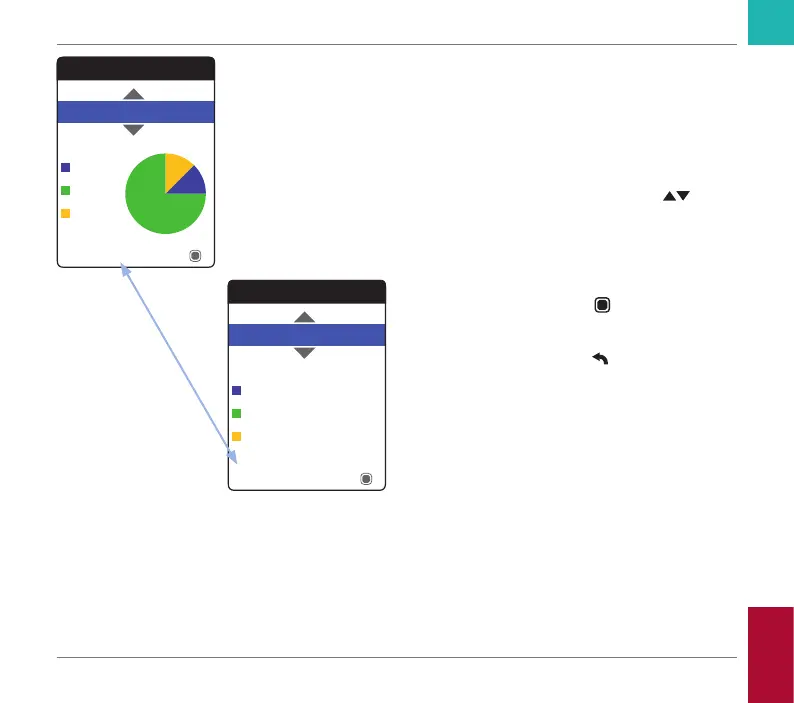
The percentage of values above, within and
below the set target range will be displayed
as a pie chart. The average (numerical) value
in the selected time period is also displayed.
If the selected period of time contains no test
results, no graph will be displayed.
5 Use the up/down arrows button
to se-
lect the time period you want to evaluate.
Starting from your most recent test result,
you can choose a time period going back
60, 90, 120, or 180 days.
6 Press the Enter button
to toggle be-
tween graphic and tabular display.
7 Press the Back button
to return to the
My Results menu.
Target
Table
90 Days
Average: 2.5 INR
Below
Above
Within
Target
Graph
12%
90 Days
Average: 2.5 INR
Below
Above
Within
75%
13%
Reviewing and Handling Data
CoaguChek INRange User’s Manual



 To Next Page