Electrical installation and wiring
98-158751-C Chapter 4: Installation 4-23
The following list shows the pins used for the Micro USB interface (Front connector on
the CSDU).
Description of the maintenance interfaces on the CSDU
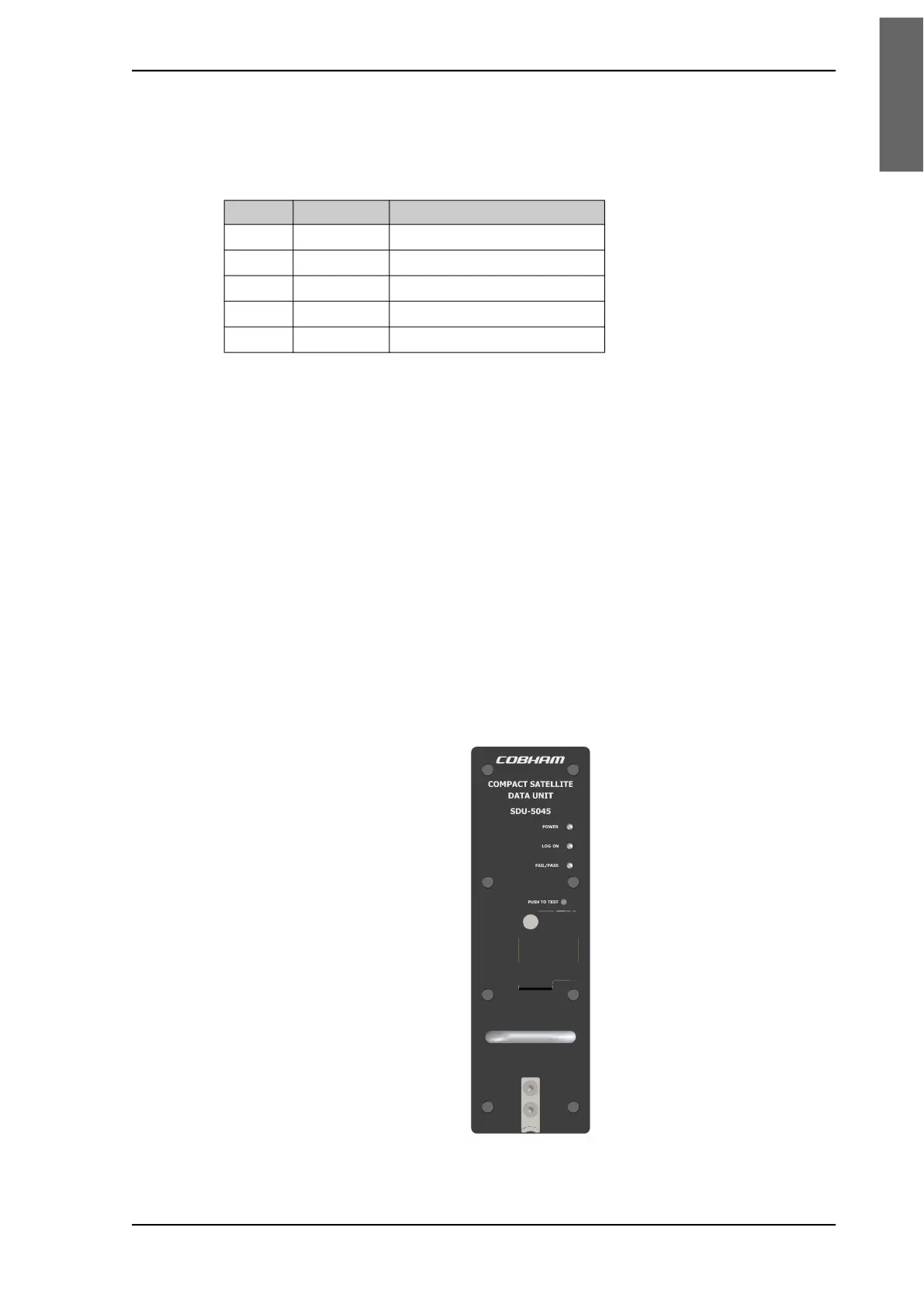
Use the maintenance interface on the front of the CSDU or the AISD 1/EFB 1 (Ethernet
11) interface for maintenance purposes. These interfaces are only accessible for
maintenance when the aircraft is on the ground. The interfaces can be accessed from a PC
with Ethernet interface or a Micro USB connector.
The maintenance interface has the following characteristics:
• Ethernet 11 (AISD 1 / EFB 1):100 Base-T /10 Base-T Ethernet / IEEE 802.3
• Front Panel Micro USB (115200 bps)
Person Activated Self Test (PAST) Push-To-Test button
The CSDU resets the system and initiates a Person Activated Self-Test "PAST" when the
Push-To-Test button on the front panel is pressed for at least 2 seconds and less than 20
seconds and while in Maintenance Allowed mode (i.e. a PC is connected via the Micro
USB maintenance interface on the front of the CSDU or via the AISD 1 / EFB 1 Ethernet
interface).
Pin Pin Name Description
1 VCC +5 VDC
2 D- Data -
3 D+ Data +
4 ID Not Used
5 GND Signal ground
Figure 4-8: SDU-5045 Front plate













 To Next Page