Chapter 2: To get started
98-148232-E Installation process 15
Installation process for satellite operation
The installation process starts up automatically when you apply power to the EXPLORER 540.
The process is as follows:
1. Apply power to the EXPLORER 540 from a separate power supply or from a PoE source.
The light indicator (LED) between the two cable glands shows the status during startup.
1
• Green flashing rapidly: Starting up
• Yellow flashing: BGAN pointing
2. When the LED flashes yellow and you hear the pointing sound, you can start pointing the
antenna.
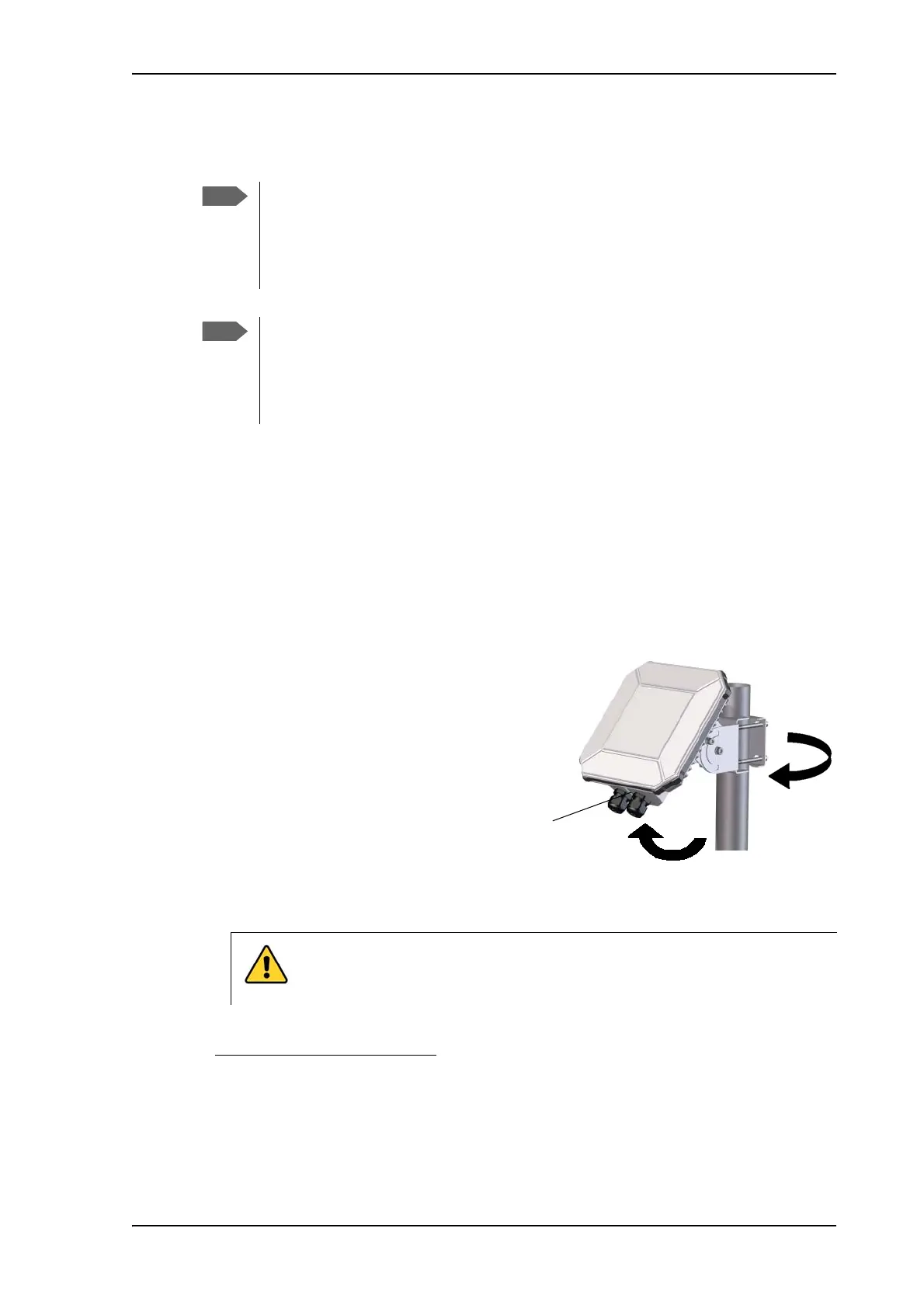
3. Turn and tilt the EXPLORER 540 until
you have obtained the highest possible
signal strength (when the pointing
sound is continuous you have the
optimum signal, see the next section
Audio assisted pointing).
4. Tighten the screws to fix the
EXPLORER 540 in the pointed position.
When the signal has been stable for
about 60 seconds
2
the pointing
procedure automatically ends, and the terminal attempts to register on the network and
verify the satellite connection (LED flashing green).
PIN code: Normally you are not required to enter a PIN code for the BGAN service,
because the SIM PIN is either disabled or set up for automatic validation. However, if
the PIN is enabled and not set up for auto validation, you have to enter the PIN before
you can access the BGAN network. For details, see To enter the SIM PIN in the web
interface on page 91.
APN: By default, the terminal is set up to use the APN from the SIM card. However, if
the SIM card requires a user defined APN, the installation process will fail, because the
APN is not defined. If this is the case, use the web interface to enter the APN and
restart the installation. For details, see To change the APN for a connection package
on page 52 and To restart the installation process (BGAN) on page 58.
1. If you have a computer connected to the EXPLORER 540, you can follow the process in
the web interface, see
To restart the installation process (BGAN) on page 58.
2. If the terminal detects a signal but the signal is not stable, it will stop the pointing process after 8
minutes and proceed with the installation process. If no signal is detected within 10 minutes, the
pointing and installation process will stop and the installation status will be shown as failed.
CAUTION! When the connection is established, keep the minimum safety
distance of 1 m from the antenna front face. The antenna radiates
microwave power as soon as the pointing procedure is completed.



 To Next Page