Chapter 4: Configuration with web interface
98-148232-E Advanced settings 83
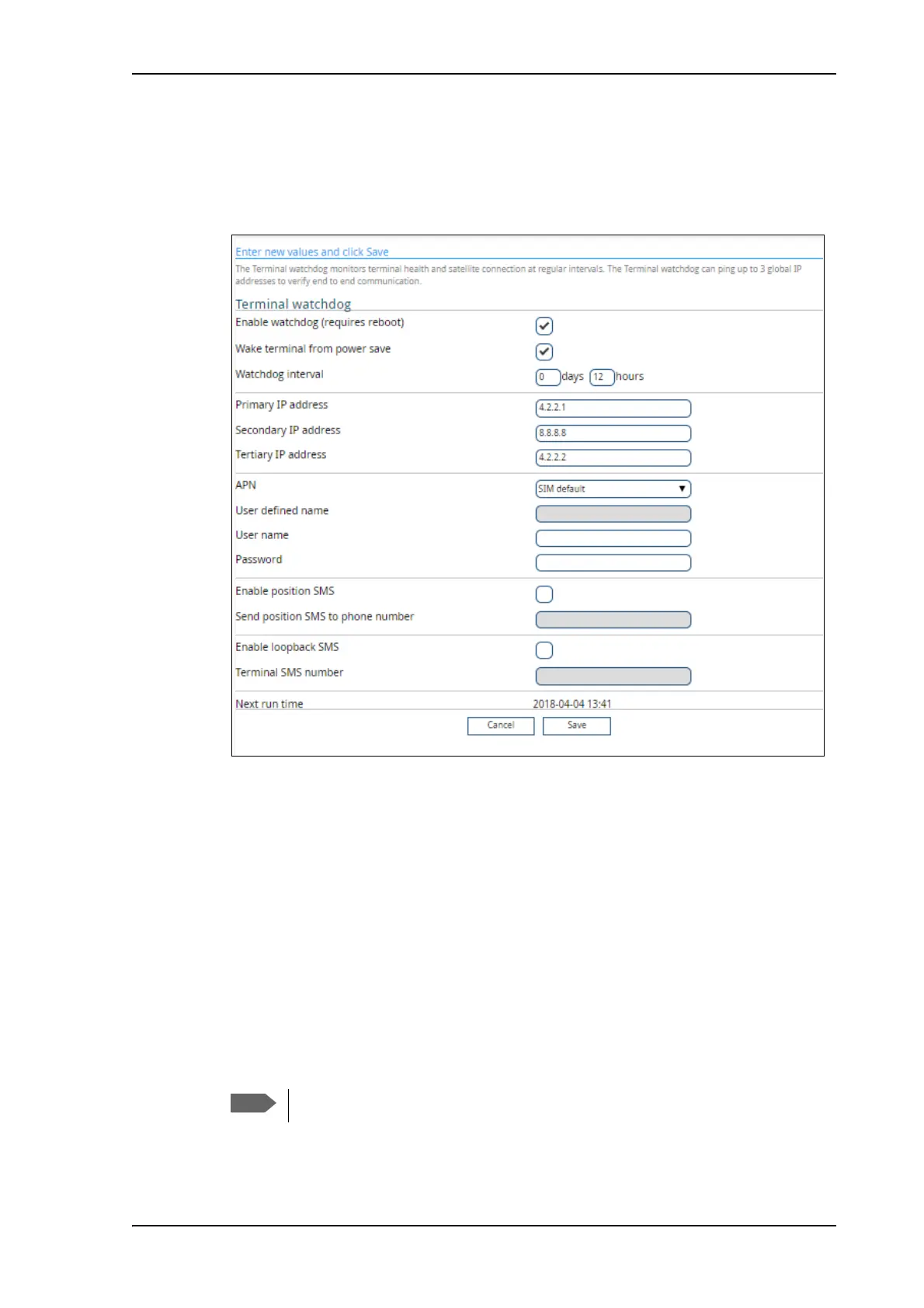
Set up Terminal watchdog
To set up the Terminal watchdog, do as follows:
1. Under Advanced, select Terminal watchdog.
2. Select Enable watchdog.
3. Select Wake terminal from power save if you want the terminal to wake up from
power save mode each time the watchdog interval has passed.
If this option is not selected, the Terminal watchdog will only run when the terminal is
awake.
4. Select the Watchdog interval.
The interval can be from one hour up to 21 days.
5. Type in the Primary and optionally the Secondary and Tertiary IP address.
This is the IP address(es) of the server(s) to which the terminal will send ping commands.
The terminal will start sending ping commands to the Primary IP address. If there is no
response after 10 attempts, the terminal will send up to 10 ping commands to the
Secondary and then the Tertiary IP address, if available. If no response is received from
any of the IP addresses, the terminal will eventually restart.
6. Enter the APN (and user name and password if required) to use for the data connection.
If no IP addresses are entered pinging is skipped, but the other actions still apply.



 To Next Page