Chapter 4: Configuration with web interface
98-148232-E Advanced settings 85
Call charges (BGAN only)
If you know the tariff for your subscribed BGAN services, you can enter these tariffs in the web
interface and automatically calculate the estimated charges for your calls and data sessions. To
enter the call tariffs, do as follows:
1. Under Advanced, select Call Charges.
2. Select the currency from the Displayed currency drop-down list.
3. Enter the tariff for each of the services.
4. Click Save.
The entered tariffs are used for estimating the charges for calls and data sessions. For
further information, see Call log (Non-M2M only) on page 60.
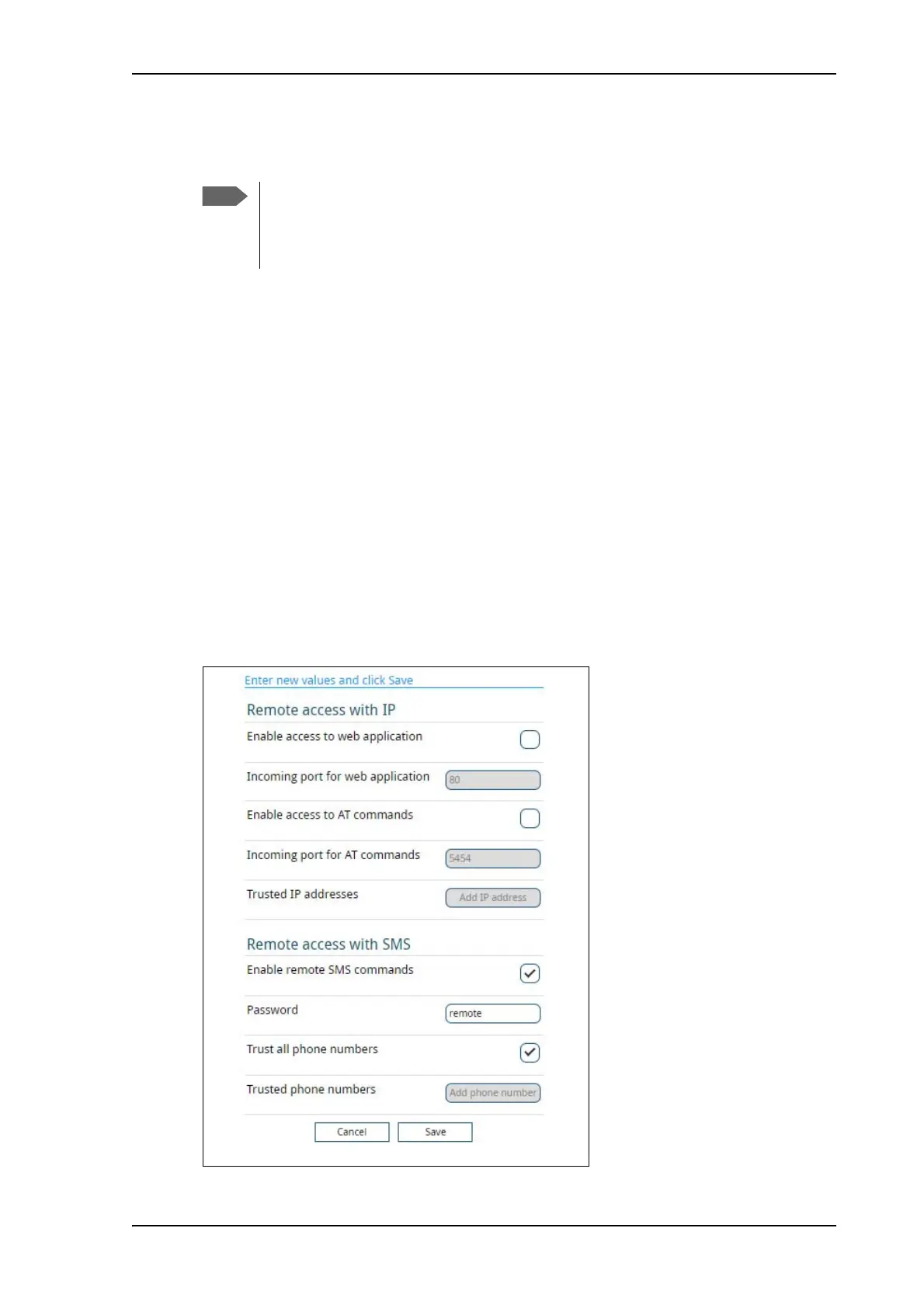
Remote management
You can set up the terminal so that it can be controlled from a remote location.
To set up the terminal for remote management, select Advanced > Remote management
from the Control panel.
Thrane & Thrane A/S does not take responsibility for the correctness of the estimated
charges. This calculation is only a rough estimate of the charge, based on the tariff
entered by the user. Also, the Airtime Provider may have different methods of
measuring the airtime used.



 To Next Page