Chapter 4: Configuration with web interface
98-148232-E Advanced settings 89
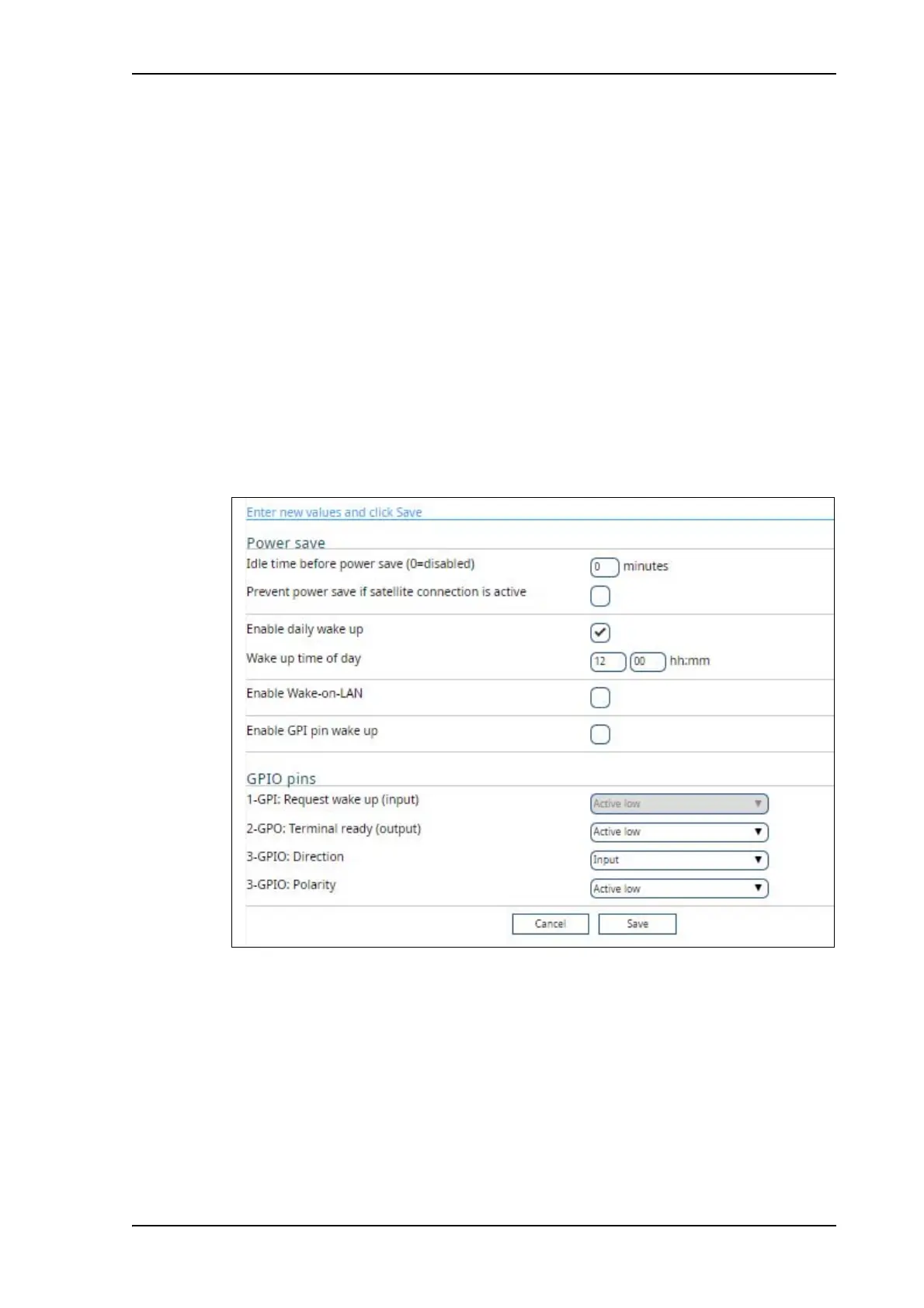
5. Select Enable Wake-on-LAN if you want the terminal to wake up from power save when
the LAN port receives a magic packet from locally connected equipment.
6. Select Enable GPI pin wake up if you want to use the dedicated I/O pin on the
EXPLORER 540 to wake up the terminal from power save mode. See the next section I/O
pins on page 89.
7. Click Save.
I/O pins
The EXPLORER 540 has 3 I/O pins, two assigned pins and 1 general purpose pin.
• Request wake up (input)
• Terminal ready (output)
• Control/Status (input/output)
1. Under Advanced, select Power and GPIO settings.
2. If you have enabled GPI pin wake up, select whether the Request wake up input should
be active high or low.



 To Next Page