e-mark create marking device Chapter 4 Initial operation
CODI Standard 1.0 24/60
Operating and Maintenance Manual
6. Lift the battery
7. Remove the tape from the battery contacts and dispose of responsibly.
Fig. 9: Battery contact insulating tape
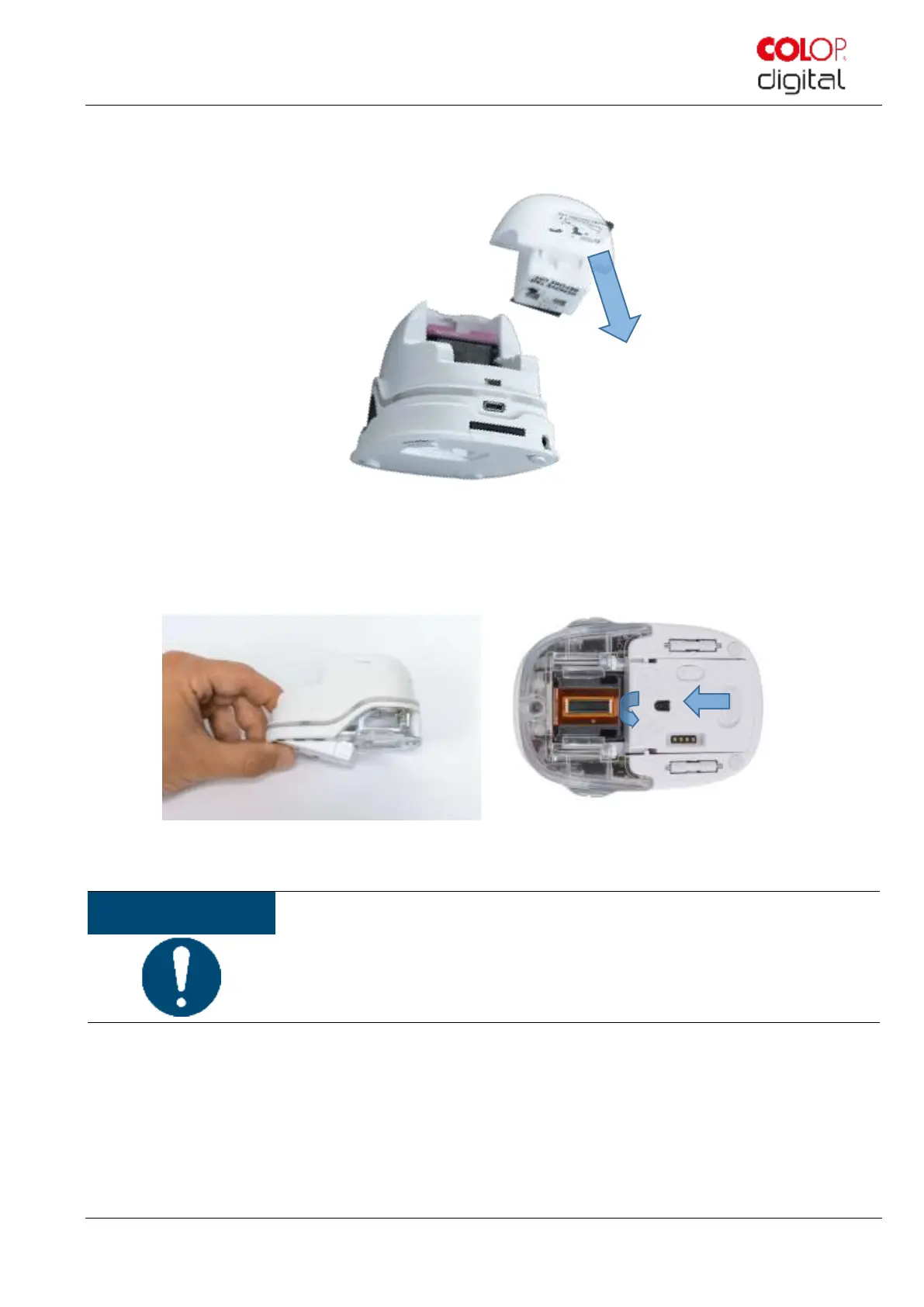
8. Pull down the lower flap.
- Slide the underside of the e-mark create in the direction of the arrow.
- Press the panel downwards at an angle.
Fig. 10: Opening the sliding panel
Always press open the lower panel first, otherwise the ink cartridge cannot be removed
or inserted without damaging the e-mark!
9. Remove the ink cartridge from the packaging and dispose of the packaging responsibly.
10. Pull off the strip from the print head and dispose of responsibly.



 To Next Page