e-mark create marking device Chapter 5 Operation
CODI Standard 1.0 41/60
Operating and Maintenance Manual
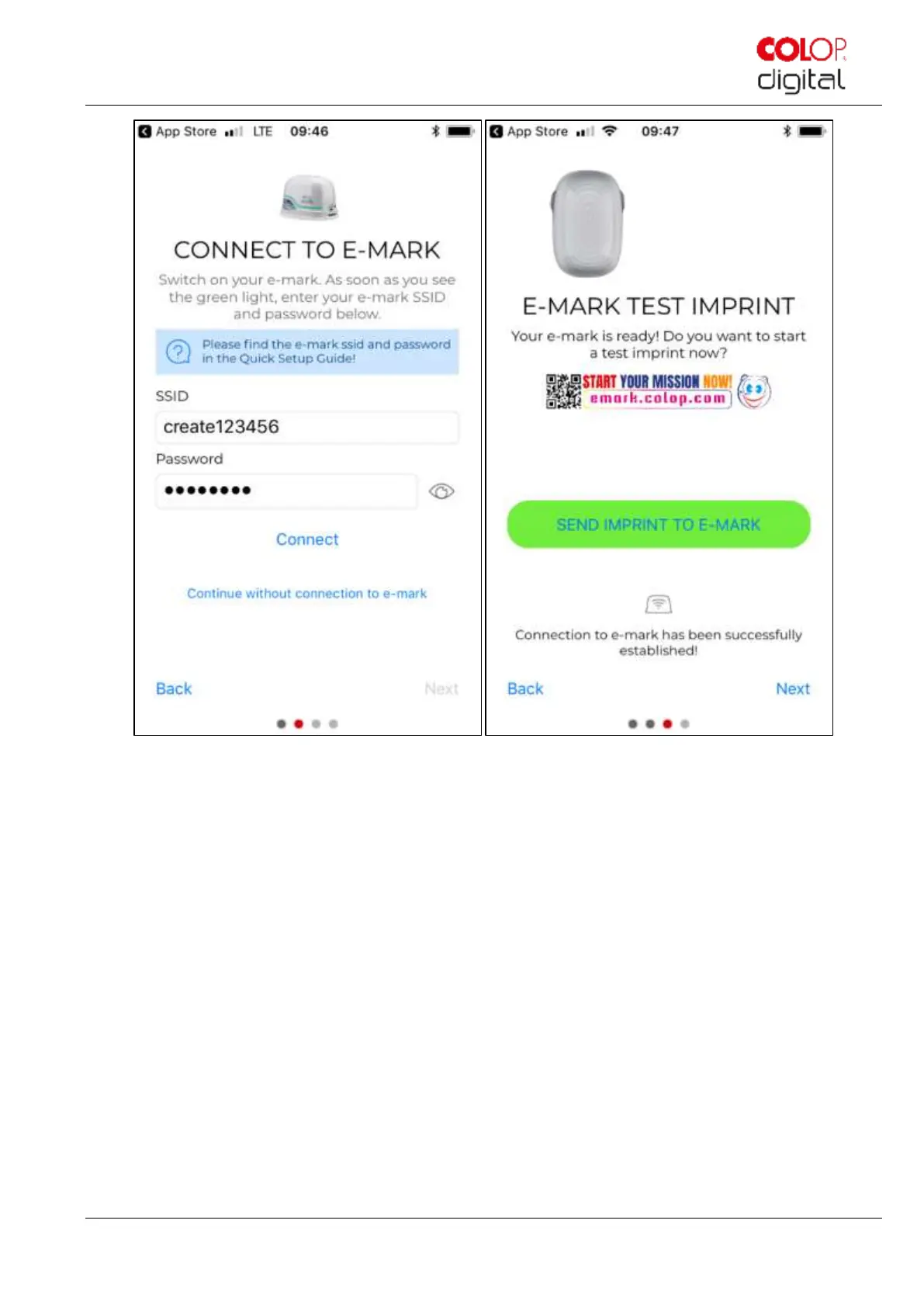
Fig. 32: Software wizard – Test imprint
3. Connect the e-mark create via the WIFI interface. Enter the SSID and password and press “Connect” to set
up the connection. The SSID and password can be found on the Quick Setup Guide in the packaging and
have been saved as a test imprint on the e-mark create. SSID stands for "Service Set Identifier" and provides
information on the name of the WIFI network to your e-mark create.
4. Press "Continue without connection to e-mark" to continue without setting up the connection to the e-mark
create. The e-mark create can also be used without connecting to the app (previous initial use still required
through the app) or with a USB cable connection to a computer
5. Then press “Next”.
6. The e-mark create is connected to your device via WIFI. A test imprint can now be made.
7. Then press “Next”.
8. The “My imprints” page will now be visible. From here you can directly start to create your own imprints, or
you can switch to the “e-mark connect” page to get further information about your e-mark create.



 To Next Page