e-mark create marking device Chapter 4 Initial operation
CODI Standard 1.0 25/60
Operating and Maintenance Manual
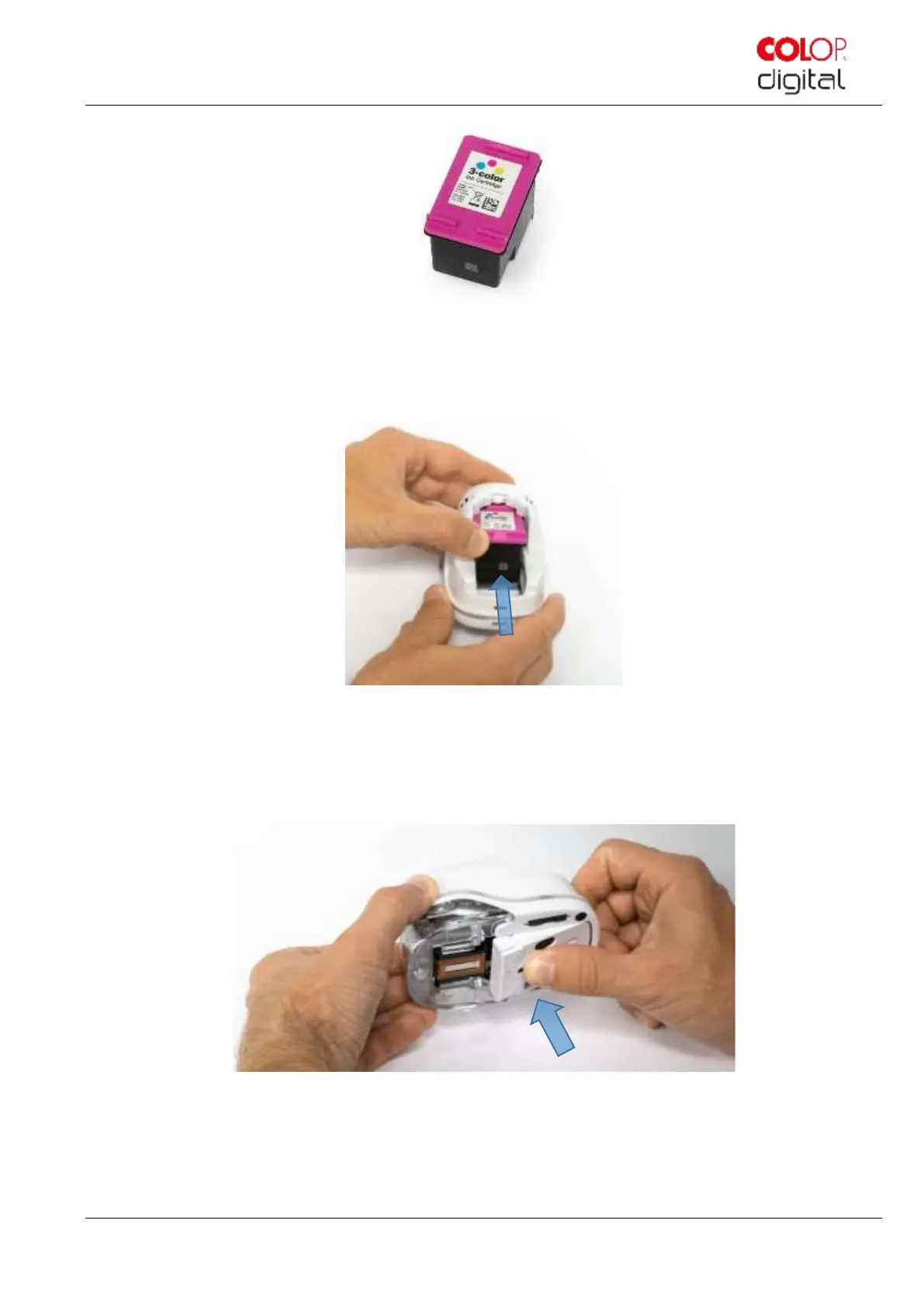
Fig. 11: Ink cartridge
11. Insert ink cartridge
- Press towards the front end of the compartment (NOT downwards)
- Cartridge snaps in.
Fig. 12: Insert ink cartridge
12. Close lower flap cover
- Close the cover (click).
- The cover moves against the spring into the closed position.
Fig. 13: Close lower flap cover
13. Insert battery
- Push towards the ink cartridge.
- Press the battery forward until the lever on the top snaps in.



 To Next Page