e-mark create marking device Chapter 5 Operation
CODI Standard 1.0 44/60
Operating and Maintenance Manual
5.8 USB cable connection
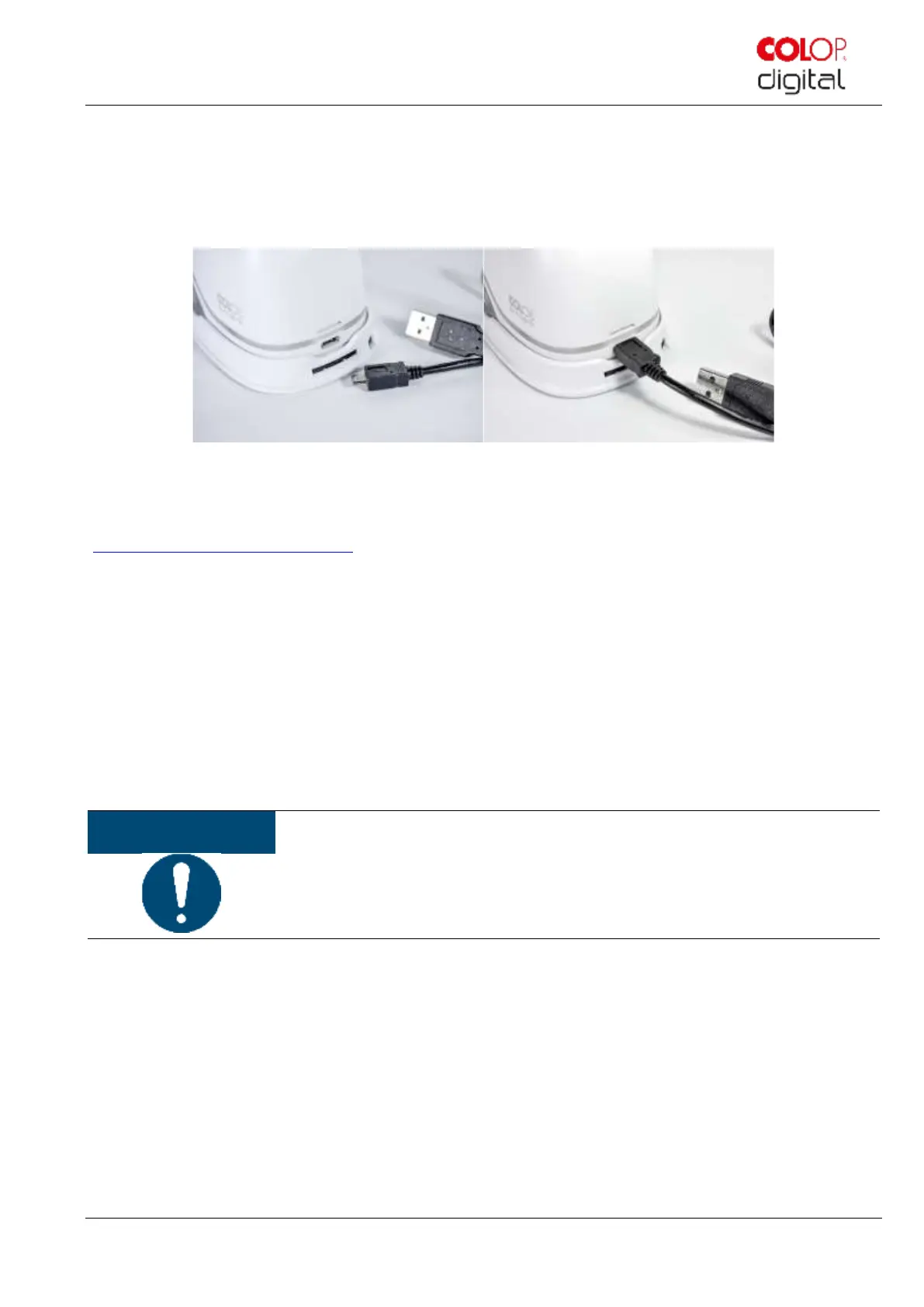
The e-mark create can also be connected via a USB cable to a computer. Connect the USB cable to the e-mark
create and computer.
Fig. 36: USB connection
The computer software can be downloaded free of charge from the COLOP homepage
(https://getemarkcreateapp.colop.com/).
5.9 Storage
Store the product in a dry place. When storing the e-mark create, always place in the docking station to prevent
drying out the print head. Store batteries only when charged.
When stored for extended periods, keep it in the original packaging or in the additionally available transport case to
protect it. It is recommended to activate the e-mark create at least once a month to prevent the print head from
completely drying out. Batteries should be charged, if required. Complete the self-cleaning process and make a test
imprint. In the event the test imprint quality is poor, complete a manual cleaning cycle (see chapter 5.5).
Always place the e-mark create in the docking station during storage. It is
recommended to activate the e-mark create at least once a month and to complete the
automatic cleaning process (or manual cleaning process, if required).



 To Next Page