e-mark create marking device Chapter 5 Operation
CODI Standard 1.0 31/60
Operating and Maintenance Manual
4. Move the e-mark create slowly and in a straight line from right to left (Fig. 20).
5. When the end position is reached printing stops and a signal sounds.
6. Return the e-mark create to the docking station immediately after printing.
Multi-line imprint option:
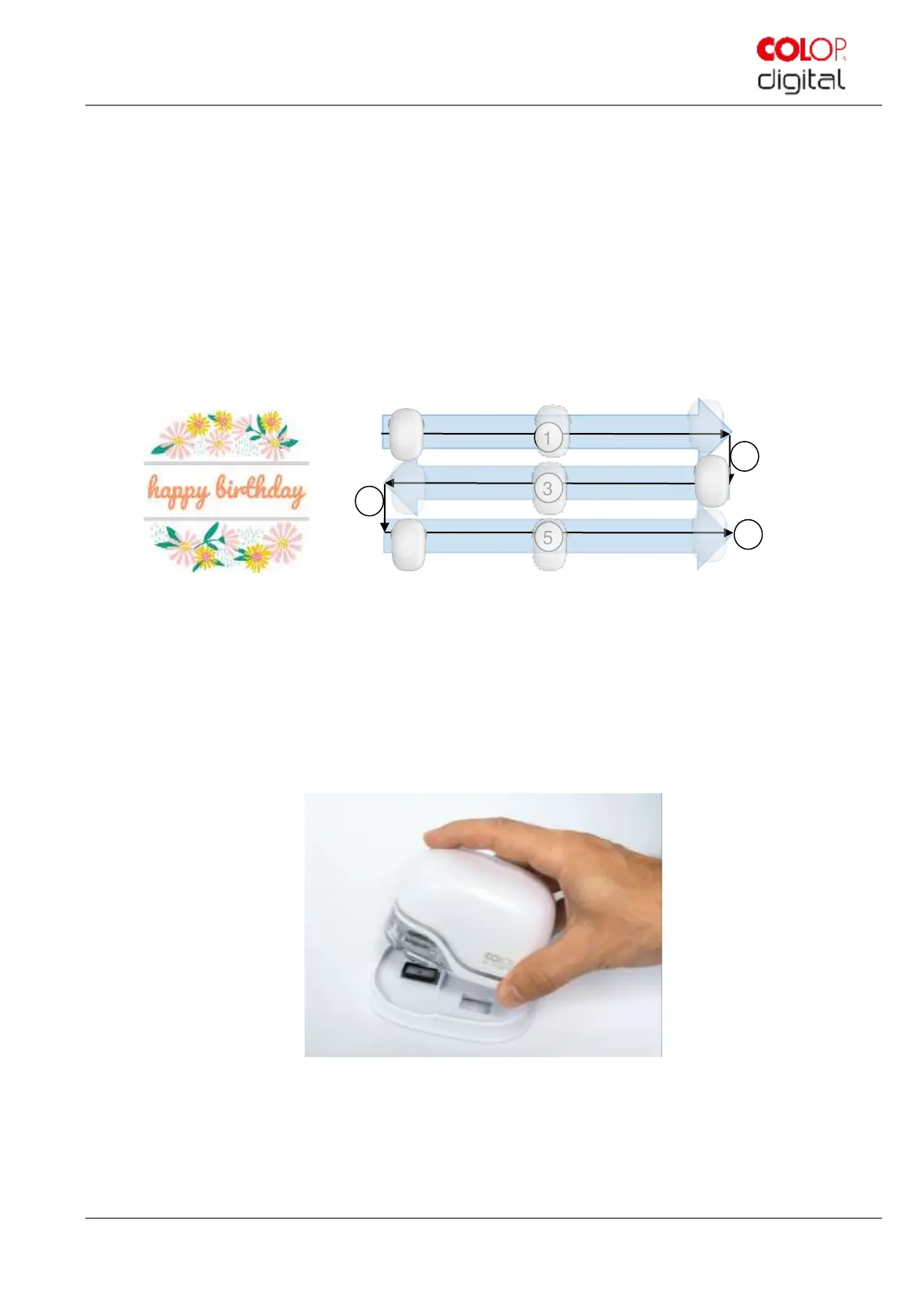
The e-mark create can also make 2-line or 3-line imprints. Proceed as follows:
1. Starting from the left, move the e-mark create to the right until the signal sounds, indicating the end of the line
has been reached.
Fig. 20: Multi-line imprint procedure
2. Then move the e-mark create downwards until the signal sounds, indicating the next line has been reached.
3. Move the e-mark create to the left until the signal sounds, indicating the end of the second line has been reached.
4. and 5. For another line, repeat steps 2 and 1 until the signal sounds, indicating the end of the third line has been
reached (6.) (Fig. 21).
Fig. 21: Place into docking station



 To Next Page