e-mark marking device Chapter 5 Operation
CODI Standard 1.0 Page 35 of 61
Operating and Maintenance Manual
The white bright light LEDs 8 and 9 indicate the movement direction and light up through the viewing
window rather than the Light Guide.
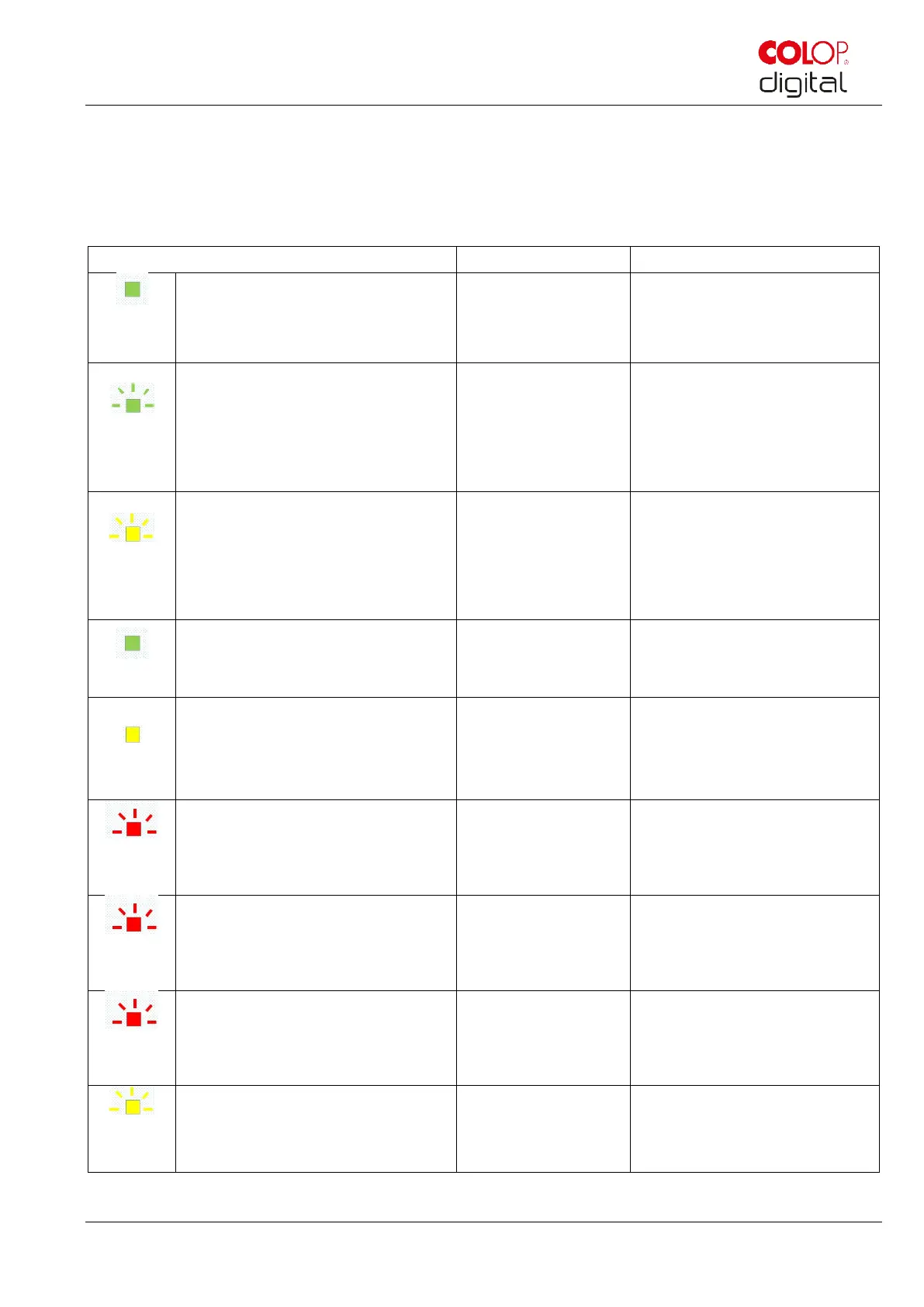
Light Guide and signal tone table:
Color code, flashing code, direction code and signal tones
Continuous green light next to the
charging plug (LED7 shines blue if
WIFI connection is established)
The battery is fully charged
(100%), the charging plug is
still connected
Green flashing around the
charging socket (0.7 s,
continuously)
LED7 shines blue if WIFI
connection is established
The battery is charged
(between 50% and 99%)
Yellow flashing around the
charging socket (0.7 s,
continuously)
LED7 shines blue if WIFI
connection is established
The battery is charged
(between 0 % and 49 %)
Continuous green light next to the
charging socket indicates a
sufficient battery level
Battery level
indicator (sufficient)
The battery level is between
25 and 100 %
Continuous yellow light next to the
charging socket indicates a low
battery level
Battery level
indicator (low)
Battery level is between 10
and 24 %
The device needs to be
charged soon
Red flashing on the side direction
charging plug continuously
The device must be charged
(Chap. 6.1), battery charge
lower than 10%
Short red flashing (0.2 s, every
1 s) forwards area
The ink cartridge must be
changed (Chap. 6.2), ink level
lower than 10%
Alternate red flashing (0.5 s)
center and side in forwards area
No ink cartridge
inserted
The ink cartridge must be
inserted (correctly) (Chap. 4.2)
Alternate yellow flashing (0.5 s)
center and side in forwards area
Wrong ink cartridge
inserted
The right ink cartridge must be
inserted (Chap. 6.2)



 To Next Page