e-mark marking device Chapter 5 Operation
CODI Standard 1.0 Page 37 of 61
Operating and Maintenance Manual
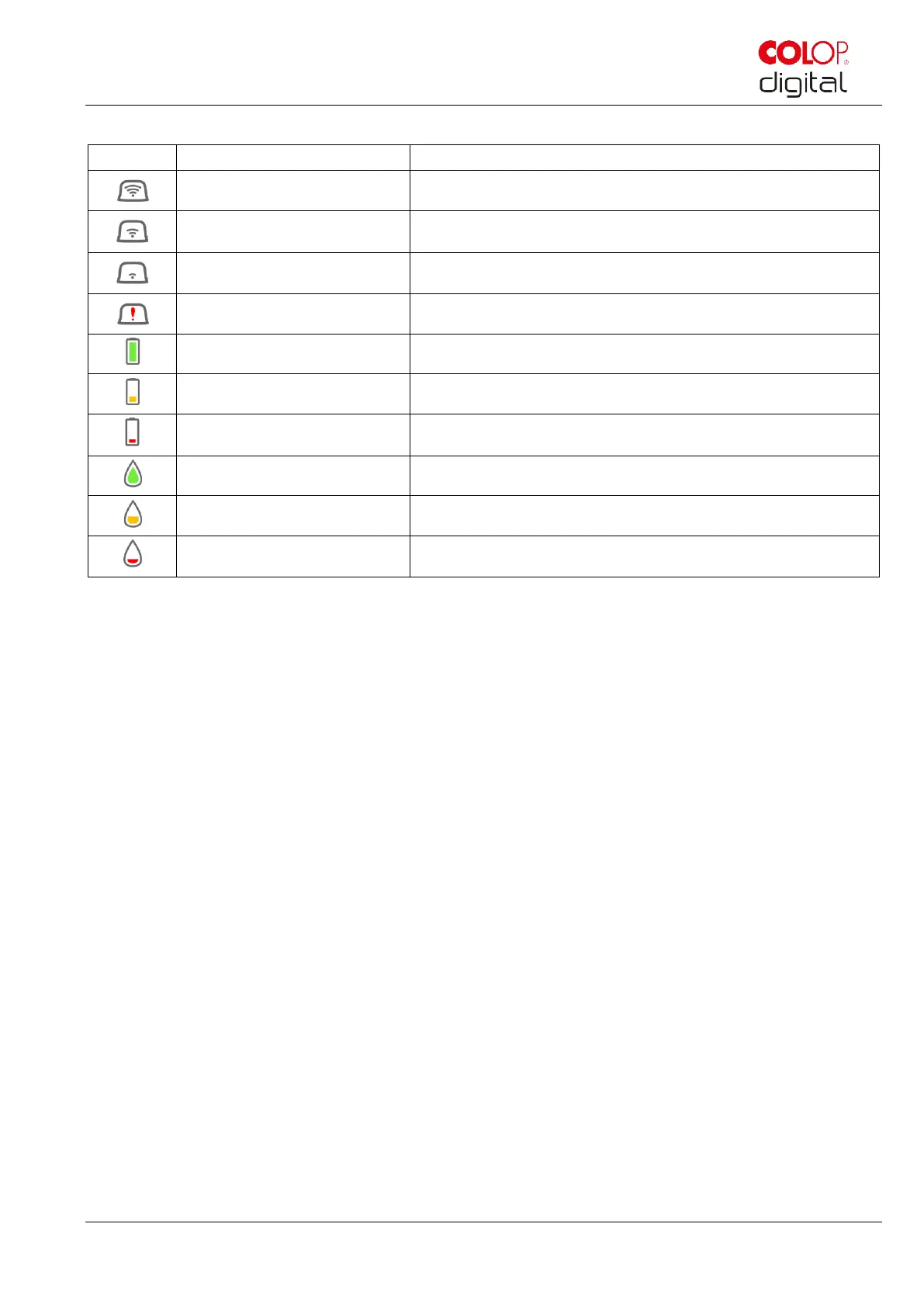
Symbols in the App:
Excellent WIFI connection to the e-mark
Battery level display green
Battery level between 41 and 100%
Battery level display yellow
Battery level between 20 and 40%
Battery level display red
Critical battery level, below 20%
Ink level between 40 and 100%
Ink level between 20 and 40%
Critical ink level (below 20%)
5.4 Automatic cleaning cycle
Print head cleaning is required for optimum device performance. This can be run automatically and
manually.
Print head cleaning:
A print head cleaning cycle is automatically activated when the e-mark is taken from the docking station.
Ink drops in picoliter range (depending on the downtime) are released when the device is raised. These
are dispersed as a thin mist in the air. This is necessary to ensure constant print quality. This process can
also be found inside an inkjet printer. Do not rotate the e-mark directly after raising from the docking station.
The automatic cleaning cycle is run when the e-mark is in a level position. No print head cleaning is
completed for safety reasons if the e-mark is rotated more than 90°.
Do not touch the e-mark print head. Do not place on or immediately above light backgrounds or light
surfaces or clothing – ink stains can be hard to wash out!



 To Next Page