e-mark marking device Chapter 6 Maintenance
CODI Standard 1.0 Page 57 of 61
Operating and Maintenance Manual
6.5 Reset
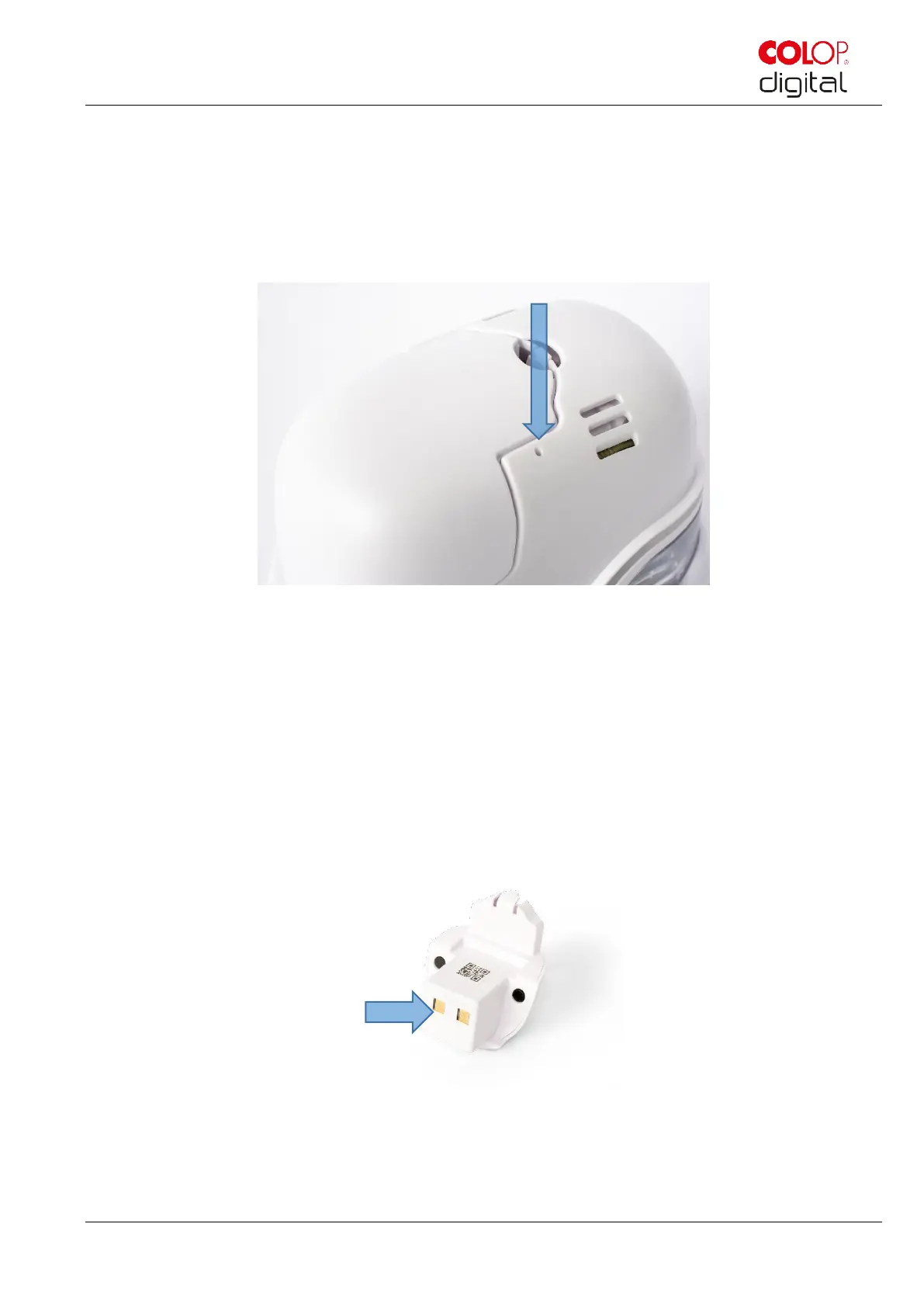
The e-mark must be switched on for the reset to be successful. There is a small opening on the top next
to the battery and ink cartridge compartment. Press here with a small thin object (e.g. paper-clip) to reset
the e-mark to its original factory settings (SSID and password are reset, the image memory is deleted and
initial test imprint with SSID and password will come when printing).
Fig. 52: Opening for device reset
6.6 Repairs & Return
Repais may only be carried out by a licensed electrician. Contact the manufacturer for information on spare
parts and procedures.
In case of returning the e-mark, the contacts of the battery need to be covered. A standard adhesive tape
can be used for that. Put the battery back into the e-mark and pack it ideally in its original packaging (see
chapter 4.1) or in similar quality packaging. Ensure that the e-mark is firmly secured and protected against
impacts and other damage.
Fig. 53: Cover the contacts of the battery



 To Next Page