e-mark marking device Chapter 5 Operation
CODI Standard 1.0 Page 39 of 61
Operating and Maintenance Manual
5.5 Manual cleaning cycle
Wiping:
If printing quality drops and/or excessive ink can be seen on the print head, wiping is required. This cleans
the print head.
Proceed as follows:
Before starting the manual cleaning cycle, place the e-mark on paper which can be disposed of after
the cleaning cycle.
In the App settings, press "Start quick cleaning" to activate the print head cleaning.
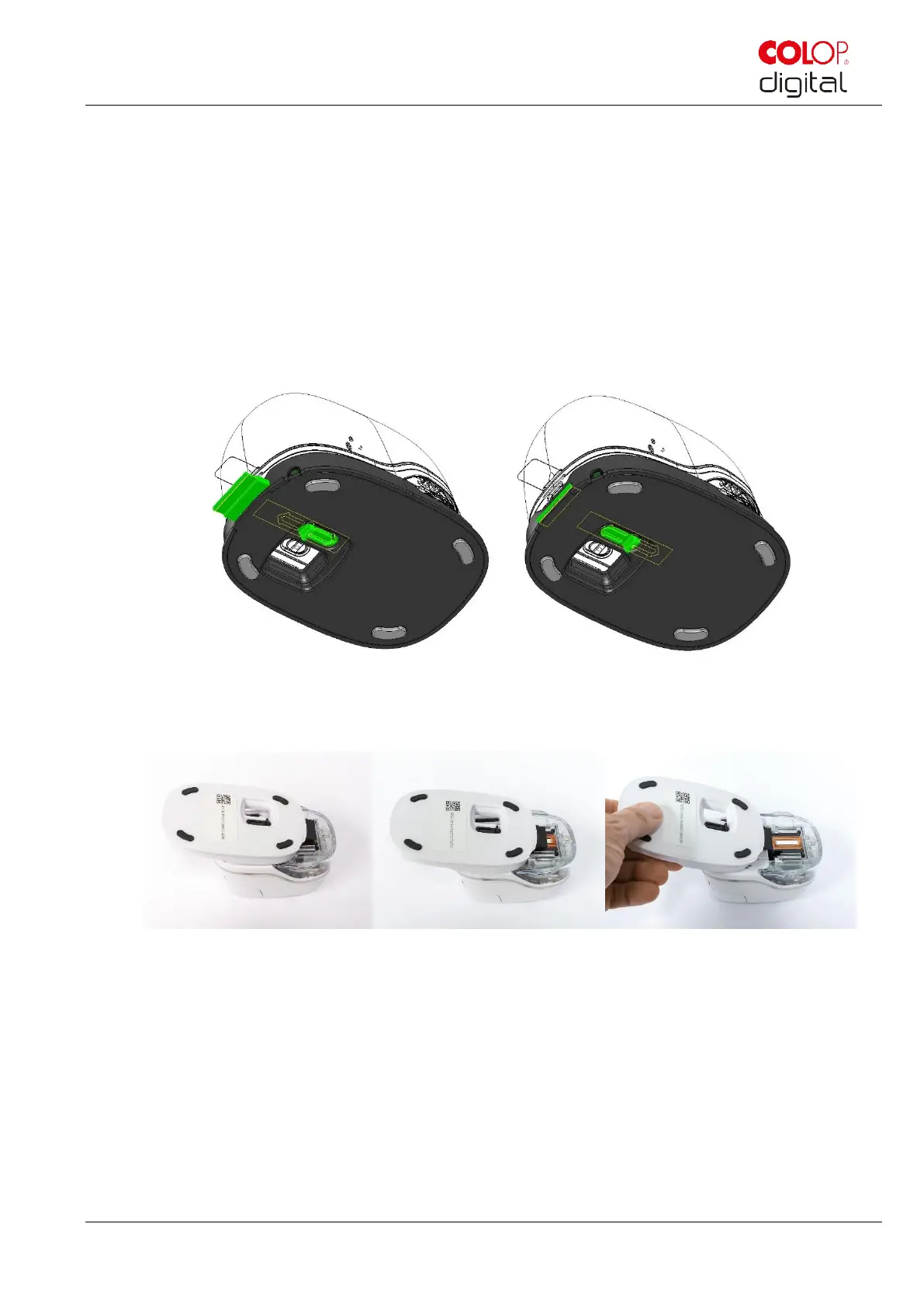
Slide the print head wiper out (wiper, rubber lip) on the underside of the docking station. A lint-free
cloth can also be used, moistened with distilled water.
Fig. 28: Slide out print head wiper
Carefully wipe the print head from back to front once with the print head wiper (or with the damp
cloth) as shown in Fig. 29: Clean print head with wiper.
Fig. 29: Clean print head with wiper
Place the e-mark on paper.
Press "Start quick cleaning" again in the App.
The e-mark is now ready for use again. A test image can be printed (see chapter 5.2) to test the
print quality.



 To Next Page