e-mark marking device Chapter 6 Maintenance
CODI Standard 1.0 Page 48 of 61
Operating and Maintenance Manual
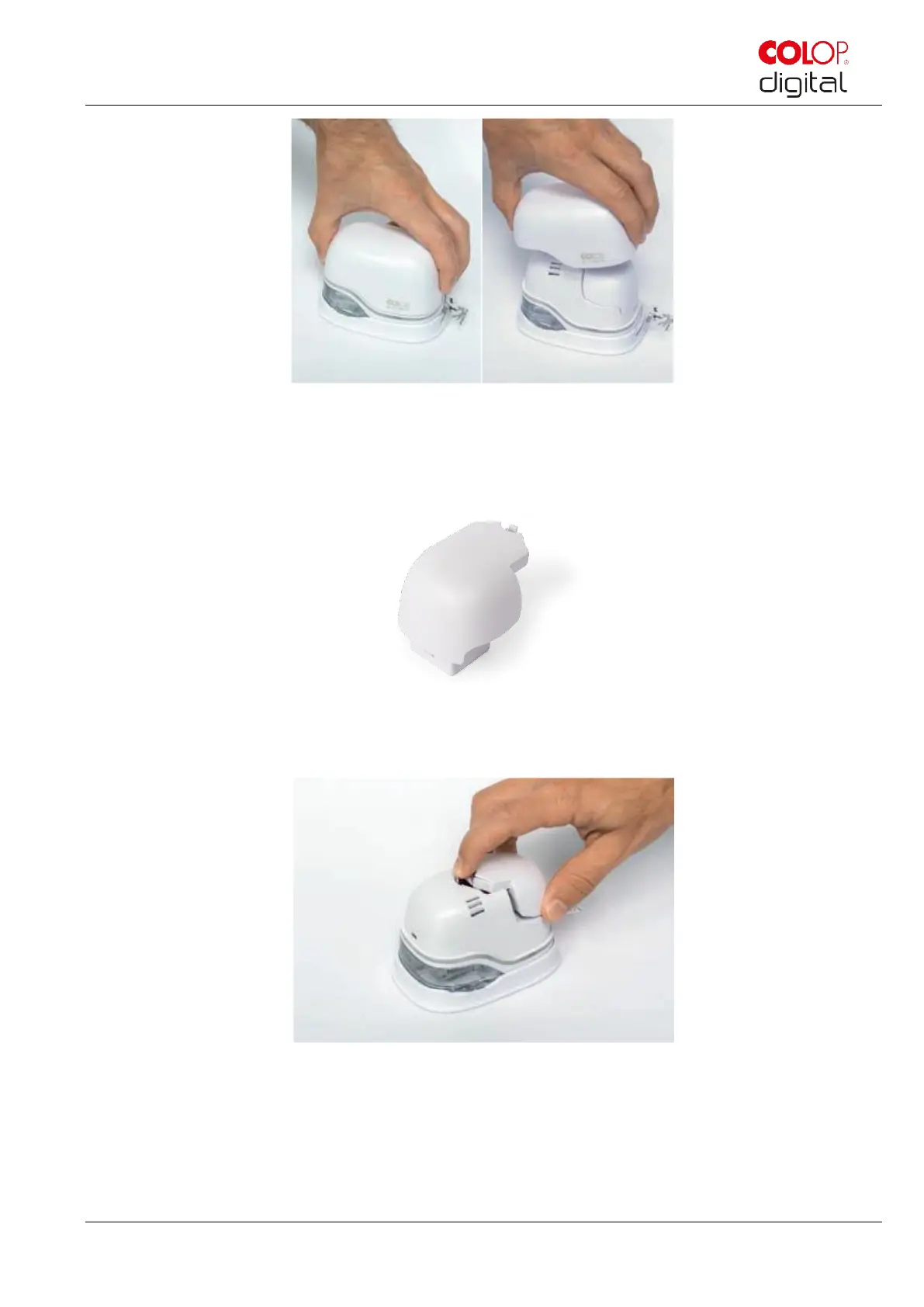
Fig. 40: Open and remove cover
Remove the battery from the battery compartment.
Fig. 41: Battery
Press the lever on top of the battery to the rear.
Fig. 42: Open battery compartment
Lift the battery and remove it
Open the lower sliding panel.



 To Next Page