INSTALLATION & USER'S MANUAL CLITE2 Page 31
QUICK START MENU 14.
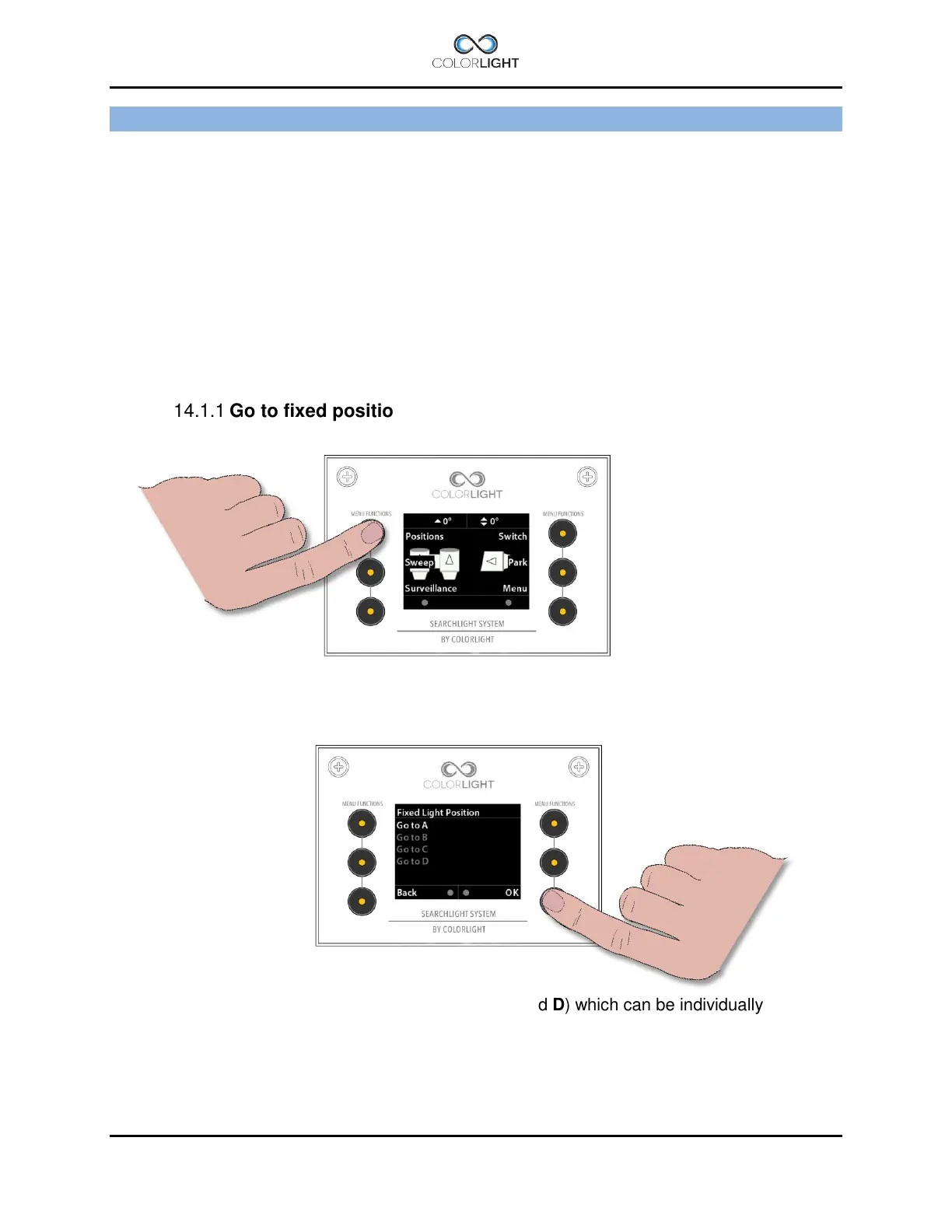
The operator panel features a quick start menu where you can reach some of the searchlights
functions.
To open up the quick start menu, press any of the quick start menu buttons (1) when showing
the logo or indicator page. The quick start menu will close after 5 seconds.
Fixed positions (optional function) 14.1
Fixed position is an option for the Colorlight Searchlight System and can only be accessed if
activated.
There are up to four different programmable fixed positions in Colorlight Searchlight System.
Go to fixed position 14.1.1
To enter the "Fixed Light Position" submenu, open up the quick start menu and press the
upper left button "Positions".
There are up to four fixed position memories (A, B, C and D) which can be individually
programmed.
By selecting one of the positions the menu will change and show the current direction of the
searchlight in degrees and move the searchlight to this preprogrammed position automatically.



 To Next Page