INSTALLATION & USER'S MANUAL CLITE2 Page 33
Sweep (optional function) 14.2
Sweep is an option for the Colorlight Searchlight System and can only be accessed if activated.
At sweep mode, the searchlight automatically moves back and forth between two individually
programmable positions in the horizontal plane.
New Sweep 14.2.1
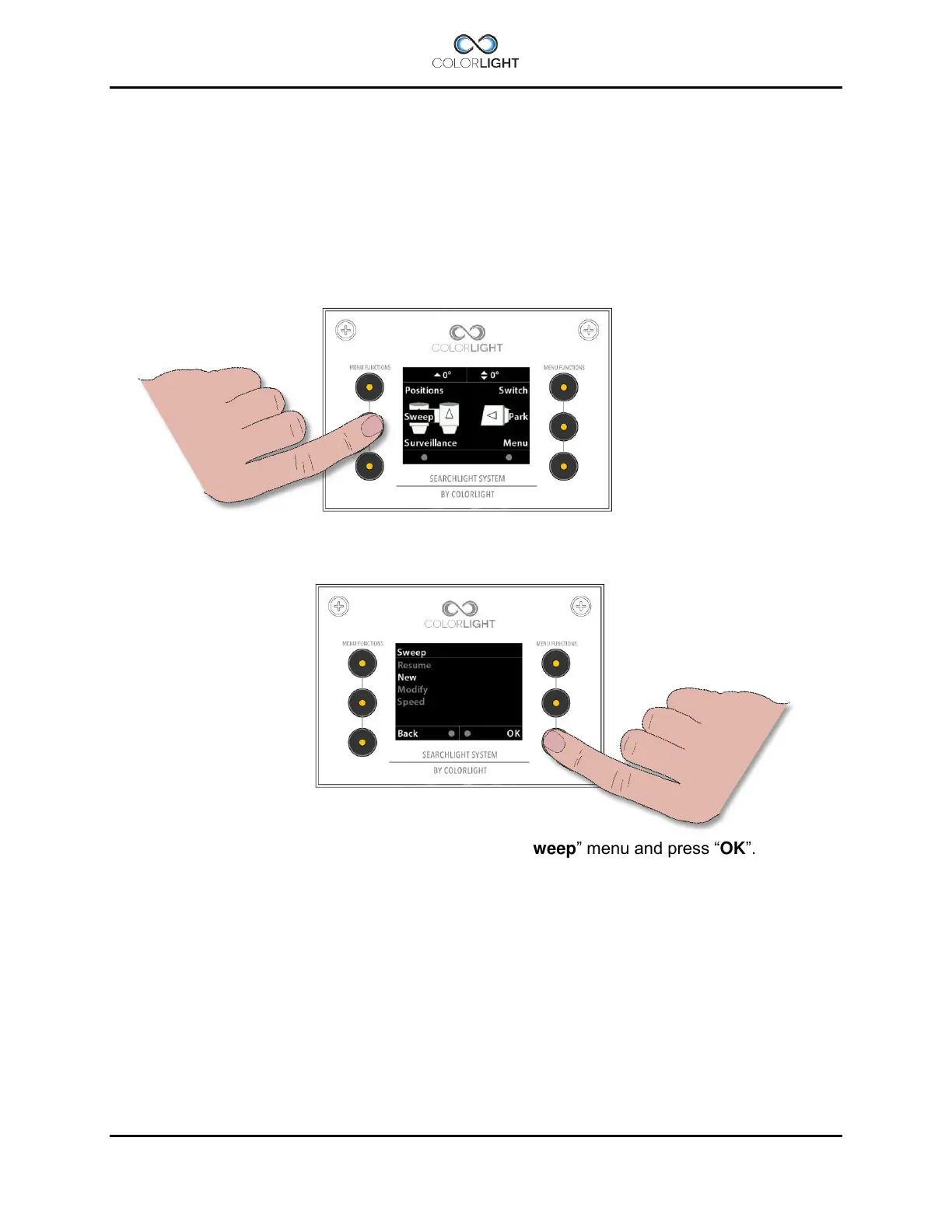
To enter the "Sweep" submenu, open up the quick start menu and press the left middle button
"Sweep".
To start a new sweep, navigate down to “New” in the “Sweep” menu and press “OK”.
The default setting for a sweep is a horizontal sweep of 20°.
To stop a sweep enter the "Sweep" submenu and choose “Stop” or just move the searchlight
by using the joystick.
To resume the sweep enter the "Sweep" submenu and choose “resume”.



 To Next Page