INSTALLATION & USER'S MANUAL CLITE2 Page 55
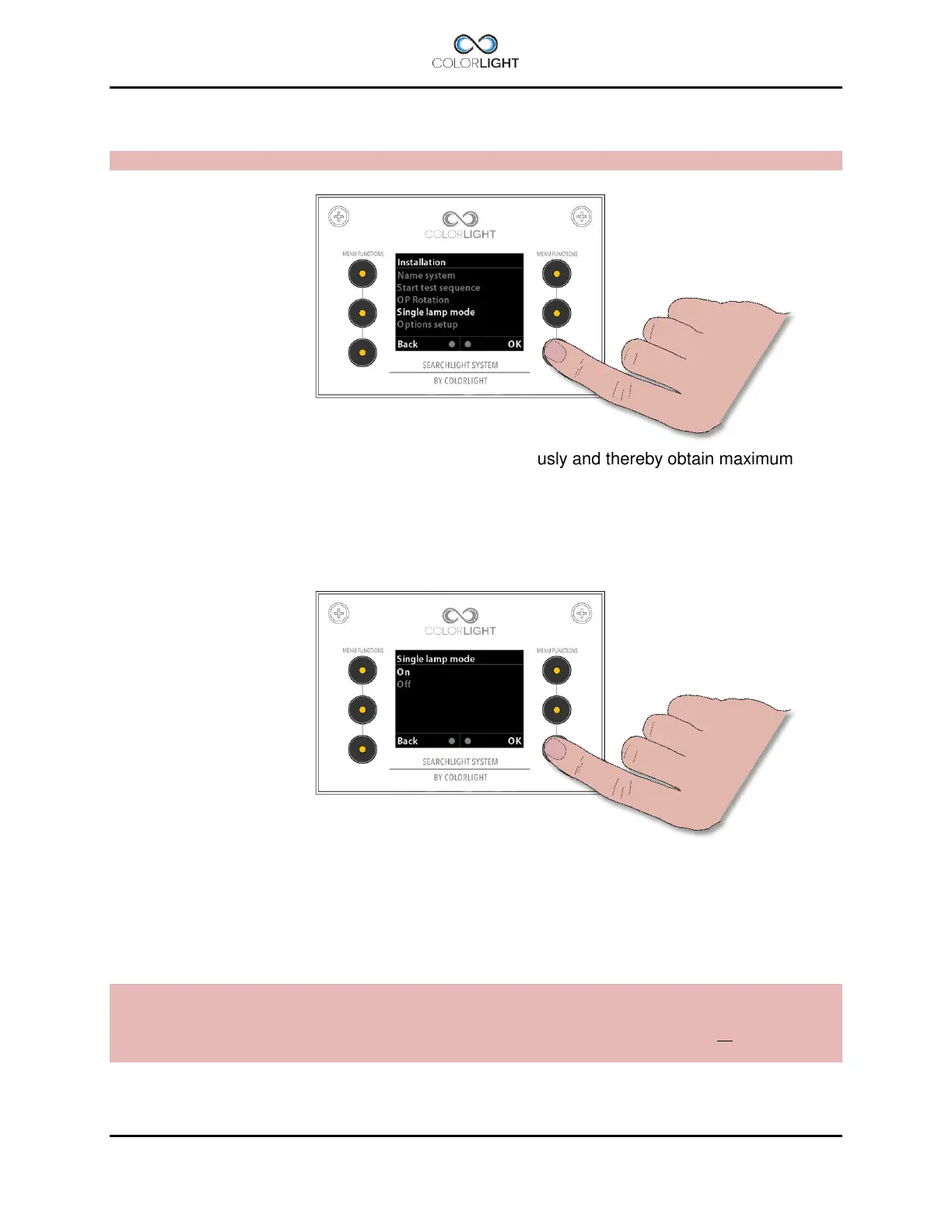
15.8.5.5 Single lamp mode
Note: Button numbers below refers to OPERATOR PANEL, OVERVIEW.
Normally, one wants to lit both LED-modules simultaneously and thereby obtain maximum light
intensity with the push of a single button.
However, there are occasions when it may be useful to give each module a dedicated light
button, this setting is done in the "Single lamp mode" menu.
By selecting single lamp mode “On” and confirm by pressing “OK”, the left LED will turn on / off
by pressing the left light button (2) and right LED on / off by pressing the right light button (5).
Note: The function "park" turns off both lights at the same time regardless of the setting in this
menu.
The default setting at delivery is “both LED´s on” by pressing left light button (2) or right light
button (5)



 To Next Page