INSTALLATION & USER'S MANUAL CLITE2 Page 47
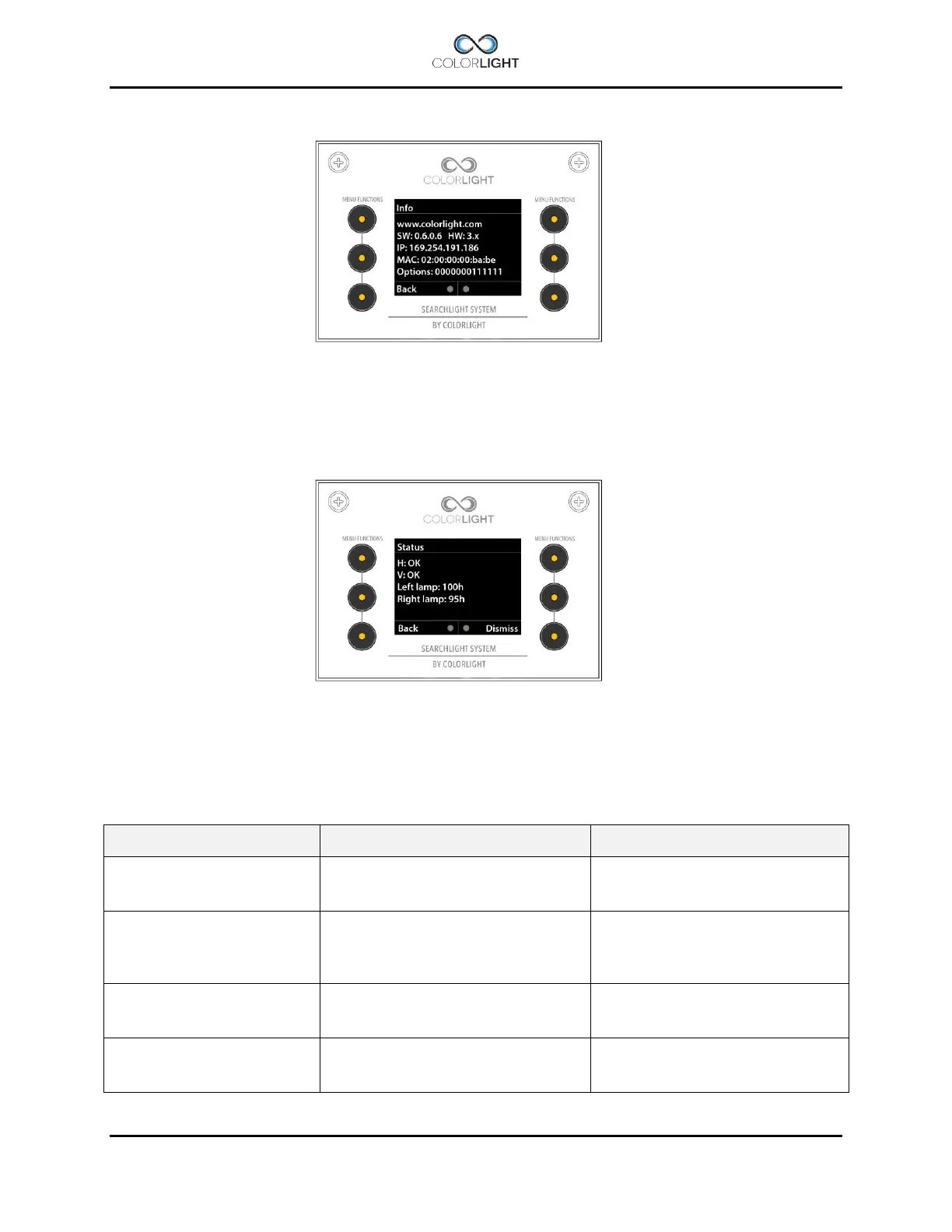
Info 15.6
This menu shows information that is needed to be known during support from Colorlight or if any
optional functions should be added to the operator panel after purchase (more about this under
15.8.5.7 Options setup).
Status 15.7
This menu will give information in form of text messages if there is errors.in the system, it also
contains a “Lamp-hour counter” showing the accumulated total running time in hours for each
LED-module.
Errors can be reset from this menu by simply press the button marked “Dismiss”, if errors
persist despite resetting, contact Colorlight.
CAN bus transmission issues
Check for loose wires in the
electrical box and contact
Colorlight.
Overcurrent protection triggered,
movement blocked
Check that the searchlight is able
to rotate freely.
In winter, heavy icing can be the
cause of this error.
Overvoltage protection triggered,
voltage to searchlight motordriver/s
have exceeded 40Vdc.
Reset the error, if error recurs
repeatedly, please contact
Colorlight.
Undervoltage protection triggered,
voltage to searchlight motordriver/s
has fallen below 8,5Vdc
Reset the error, if error recurs
repeatedly, please contact
Colorlight.



 To Next Page