Page 42 INSTALLATION & USER'S MANUAL CLITE2
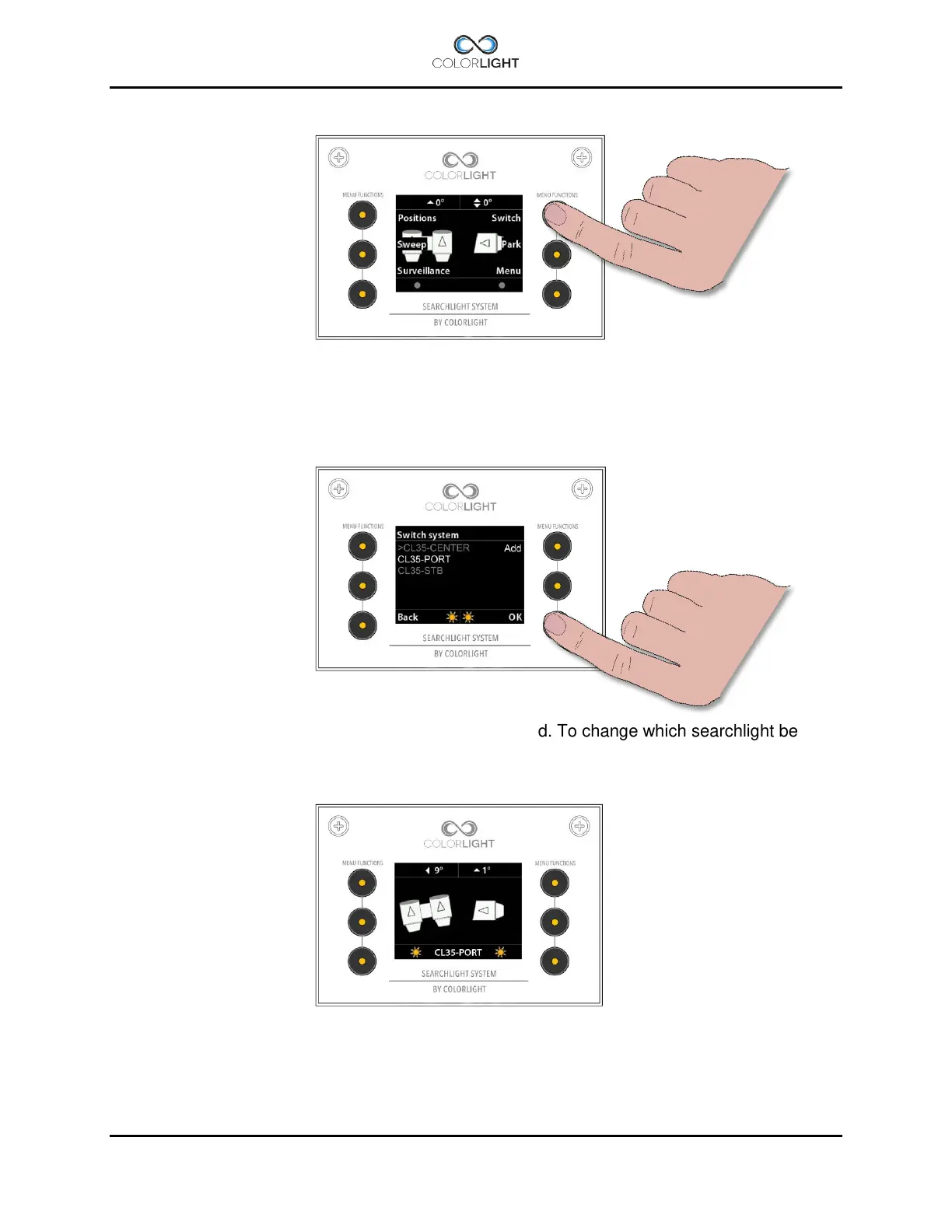
To enter the “Switch” submenu open up the quick start menu and press the upper right button.
In this menu all the available searchlights should be listed. To change which searchlight being
controlled, navigate to the desired searchlight and press “OK”.
The operating panel should now control the newly selected searchlight which light status and
position is shown on the indicator screen.



 To Next Page