Operation Monitoring
56
C3M2-OM-EN-02
4.5 MDC Engine Fault Codes
The engine fault warning icon (8 on the MDC Home screen) lights up amber or red to
indicate that an engine or emissions system fault (or faults) has been detected by the
engine control unit (ECU). Fault information is stored by the ECU and active faults in
the form of Suspect Parameter Number (SPN) codes and Failure Mode Identifier (FMI)
codes be viewed by accessing the MDC Engine Information screen.
To view fault codes on the MDC Engine Information screen:
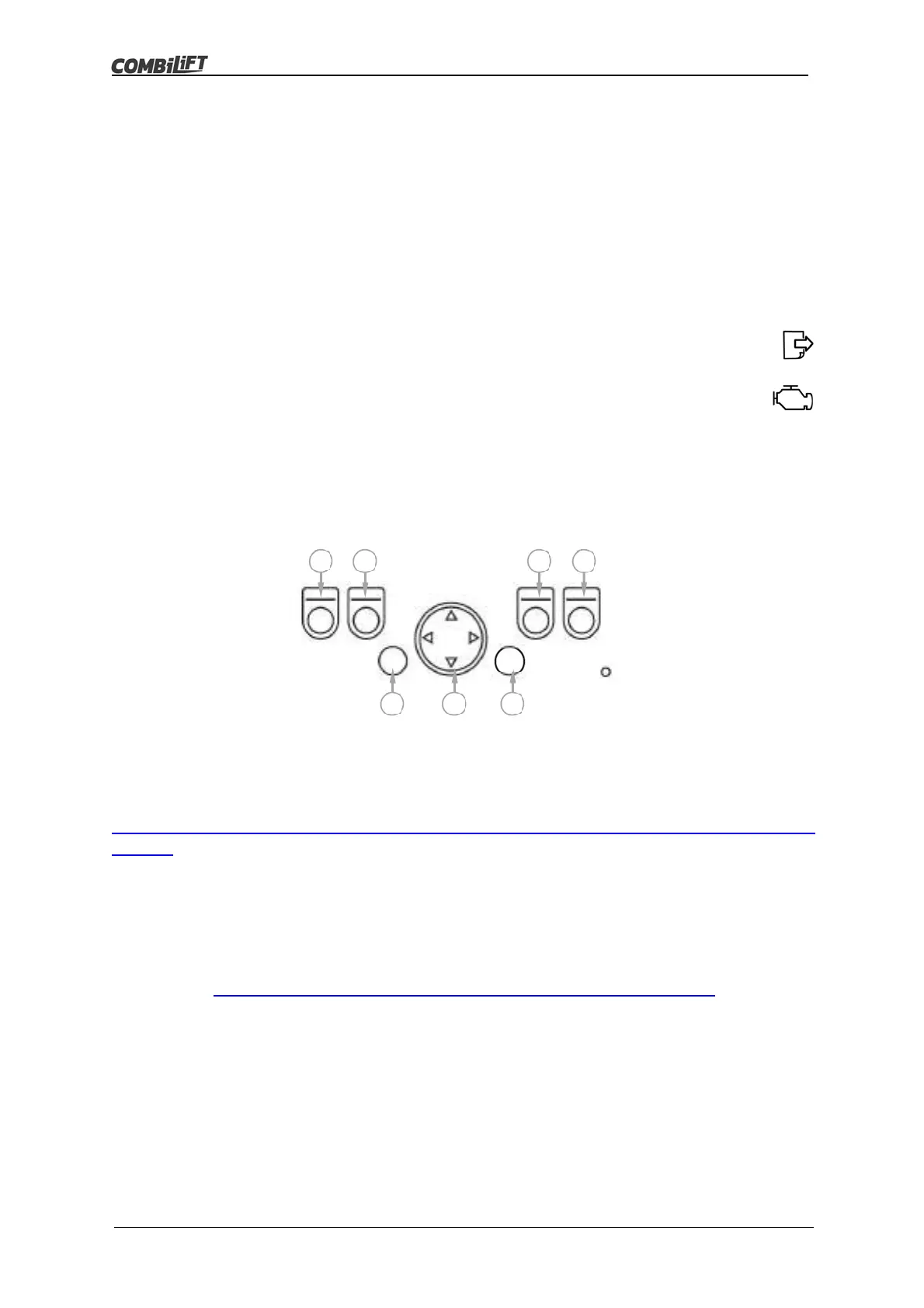
With the Home screen displayed, press button (D) to display the options
screen.
Navigate to the engine icon using button (F), then press button (G) to
display the engine information screen.
Press button (D) to skip to the second engine information screen.
The number of active faults will be displayed at the top of the screen.
A list of SPN codes and FMI codes will be displayed if there are any
faults active.
Engine and emissions system faults related to the SPN and FMI codes can be
identified using the Diagnostic Trouble Code (DTC) list. The DTC list can be viewed at:
http://support.combilift.com/knowledge-base/engine-information-and-active-faults-ifm-
screen/
Note: A login is required to view the DTC codes.
For further assistance please contact your local Combilift partner. Alternatively, you
can contact us directly by filling in the form at:
https://warranty.combilift.net/combilift-engine-callout-request/
A
B
C
D
E
F G
ok



 To Next Page