Components & Controls
32
C3M2-OM-EN-02
3.2.4.1 Kab 100 Series Seat Adjustments
The seat adjustments below apply only if a Kab 100 series seat has been fitted. Other
optional seats may be fitted to suit the needs of individual customers.
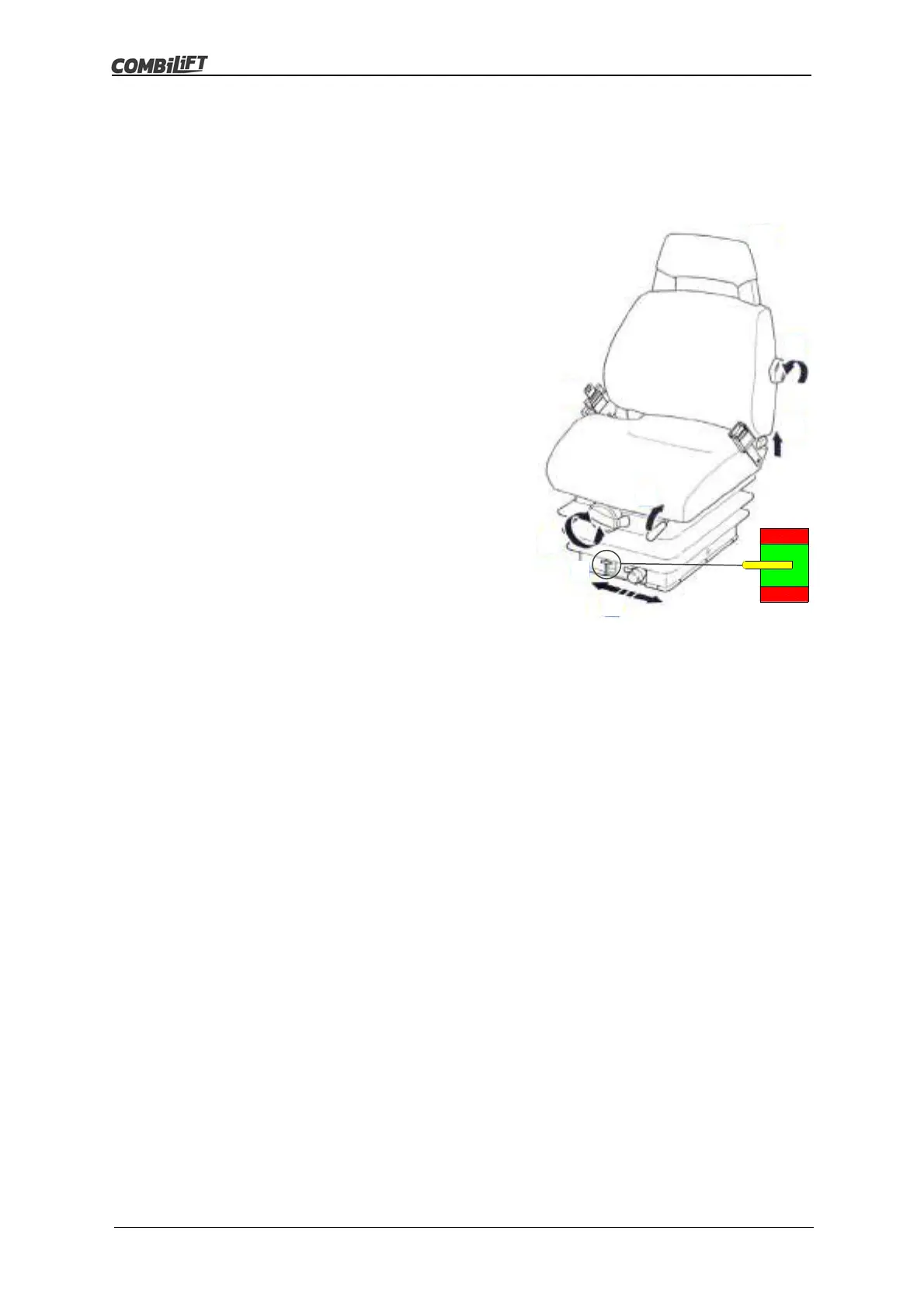
A. Up-stop Adjustment
B. Height Adjustment
C. Ride Indicator
D. Backrest Angle Adjustment
E. Seat Belt
F. Horizontal Adjustment (Slide rails)
G. Backrest Extension
H. Lumbar Support Adjustment (5 positions)
A. Up-stop Adjustment
The Up-stop adjustment lever A allows the upward travel of the seat suspension to be
limited.
Slide lever A fully to the right to allow maximum travel.
Slide lever A fully to the left to limit the stroke to the minimum.
B. Height Adjustment
Tip: Bring the backrest forward and slide the seat back fully before adjusting the height.
To adjust the seat height for any individual operator the operator must be sitting on the
seat.
Fold out the height adjustment handle B fully and hold the knob on the end of the
handle.
Turn handle B clockwise to raise the seat height.
Turn handle B anticlockwise to lower the seat height.
When the height has been set fold handle B back in.
C. Ride Indicator
When adjusting the height of the seat it is important to check the ride indicator. To
protect the operator from shocks and vibrations the yellow ride indicator C should be
in the green area when the operator is seated. The suspension automatically
compensates for the weight of the operator.
A
B
C
D
E
F
H
G



 To Next Page