When you insert a character in the middle of a line, characters to
the right of the cursor move to the right. If the line becomes
longer than your screen is wide, characters disappear off the
right side of the screen. These characters are not lost. They
reappear if you delete characters from the line or if you press
CTRL-E when the cursor is in the middle of the line. CTRL-E
moves all characters to the right of the cursor to the next line on
the screen.
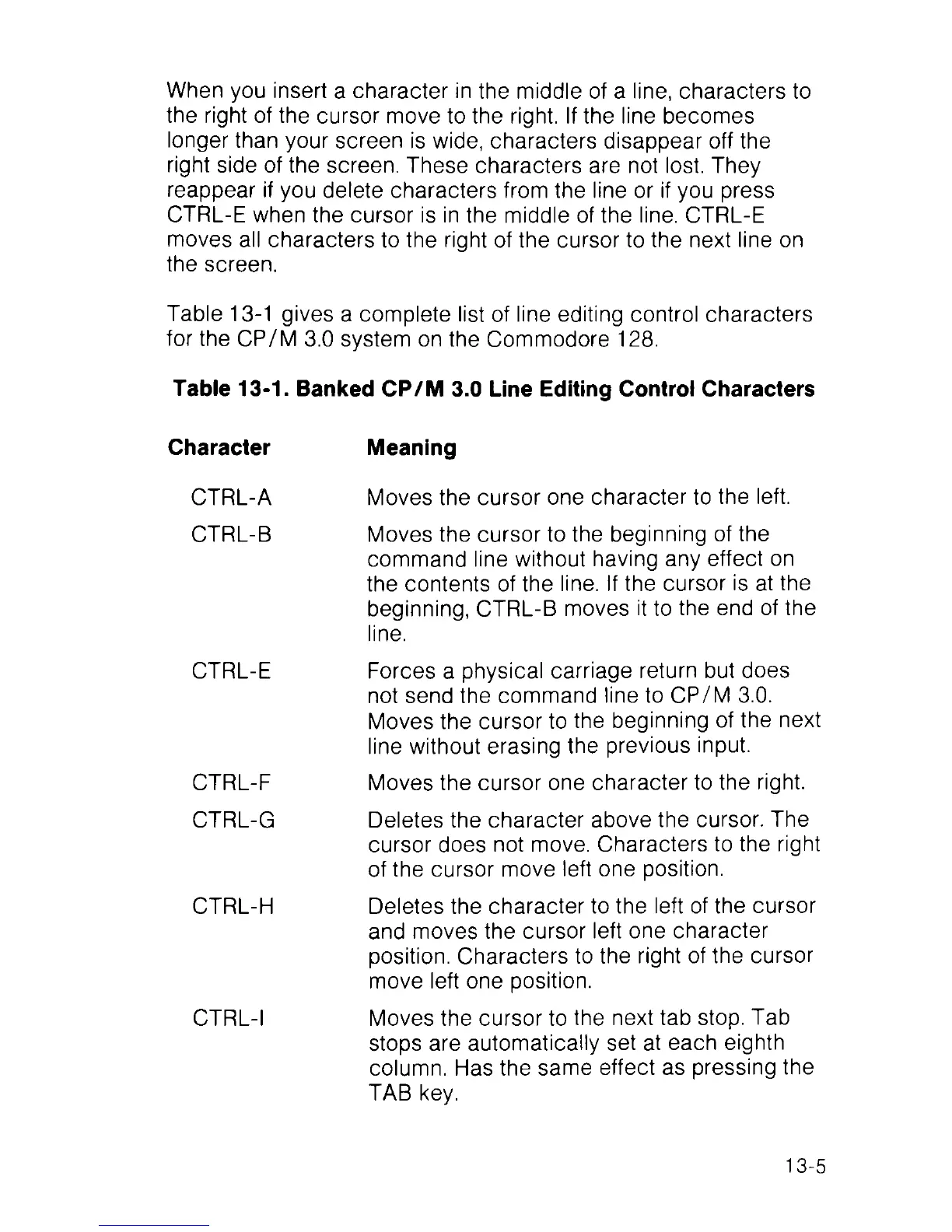
Table 13-1 gives a complete list of line editing control characters
for the CP/M 3.0 system on the Commodore 128.
Table 13-1. Banked CP/M 3.0 Line Editing Control Characters
Character
Meaning
CTRL-A
CTRL-B
CTRL-E
CTRL-F
CTRL-G
CTRL-H
CTRL-I
Moves the cursor one character to the left.
Moves the cursor to the beginning of the
command line without having any effect on
the contents of the line. If the cursor is at the
beginning, CTRL-B moves it to the end of the
line.
Forces a physical carriage return but does
not send the command line to CP/M 3.0.
Moves the cursor to the beginning of the next
line without erasing the previous input.
Moves the cursor one character to the right.
Deletes the character above the cursor. The
cursor does not move. Characters to the right
of the cursor move left one position.
Deletes the character to the left of the cursor
and moves the cursor left one character
position. Characters to the right of the cursor
move left one position.
Moves the cursor to the next tab stop. Tab
stops are automatically set at each eighth
column. Has the same effect as pressing the
TAB key.
13-5



 To Next Page