CIRCLE
Draws circles, ellipses, arcs, etc. at specified positions on the
screen
CIRCLE [color source],X,Y,Xr [,Yr] [,sa] [,ea] [.angle] [,inc]
where:
color source O=background color
1 =foreground color
2=multicolor) GRAPHIC modes
3=mulitcolor > 3 and 4
x,y
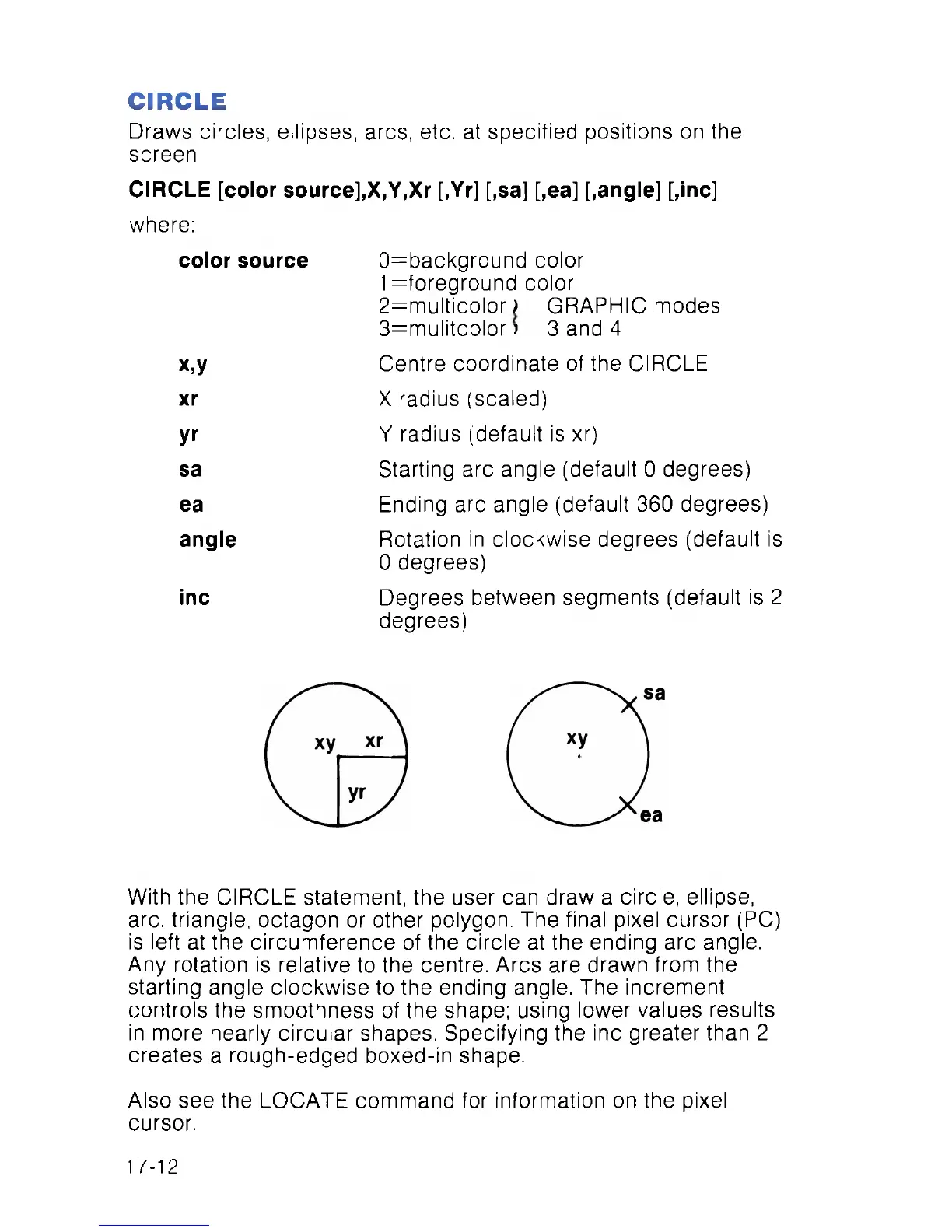
Centre coordinate of the CIRCLE
xr
X radius (scaled)
yr
Y radius (default is xr)
sa Starting arc angle (default 0 degrees)
ea
Ending arc angle (default 360 degrees)
angle
Rotation in clockwise degrees (default is
0 degrees)
inc Degrees between segments (default is 2
degrees)
With the CIRCLE statement, the user can draw a circle, ellipse,
arc, triangle, octagon or other polygon. The final pixel cursor (PC)
is left at the circumference of the circle at the ending arc angle.
Any rotation is relative to the centre. Arcs are drawn from the
starting angle clockwise to the ending angle. The increment
controls the smoothness of the shape; using lower values results
in more nearly circular shapes. Specifying the inc greater than 2
creates a rough-edged boxed-in shape.
Also see the LOCATE command for information on the pixel
cursor.
17-12



 To Next Page