ATC200-LITE-USB Teletilt
®
RET System Section 20–Alarm Status for TMA
Bulletin 639536 • Revision L October 2014 20-4
20.3 Clearing All Alarms on TMA
After examining the alarms status results, any alarms found may be cleared using the Clear Alarms
button (Figure 20-4).
1. Click on the TMA in the Device Information list that has an alarm to be cleared.
(Figure 20-4)
2. Click on the Clear Alarms button to clear any current alarms that have been declared by the
TMA.
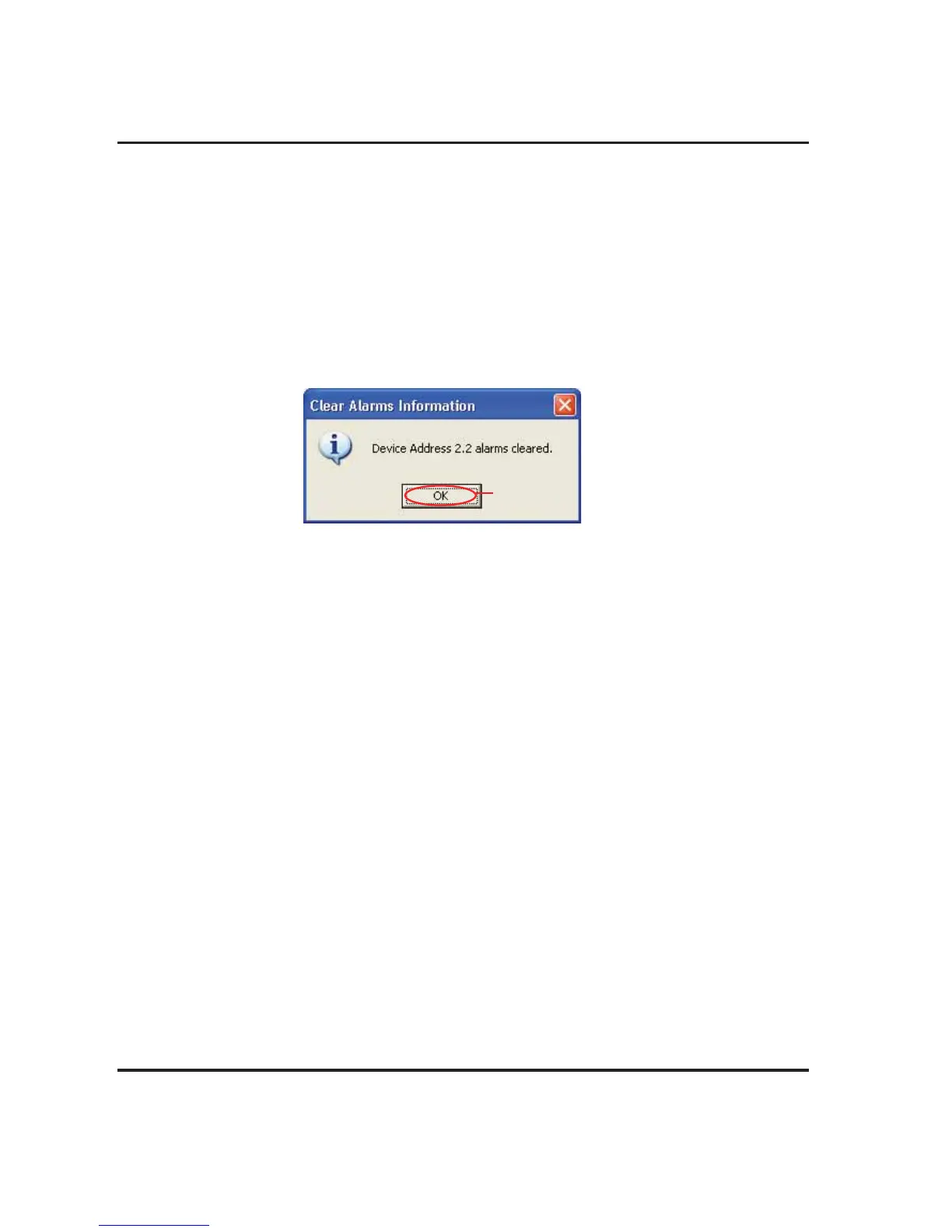
3. After all alarms have been cleared for the TMA, a pop-up notification will display to notify the
user that all alarms are clear (Figure 20-7).
4. Click OK to dismiss the Clear Alarms pop-up notification (Figure 20-7).
Figure 20-7. Alarms Cleared..
Click OK.



 To Next Page