Section 3–Uploading Firmware ATC200-LITE-USB Teletilt
®
RET System
3-4 October 2014 Bulletin 639536 • Revision L
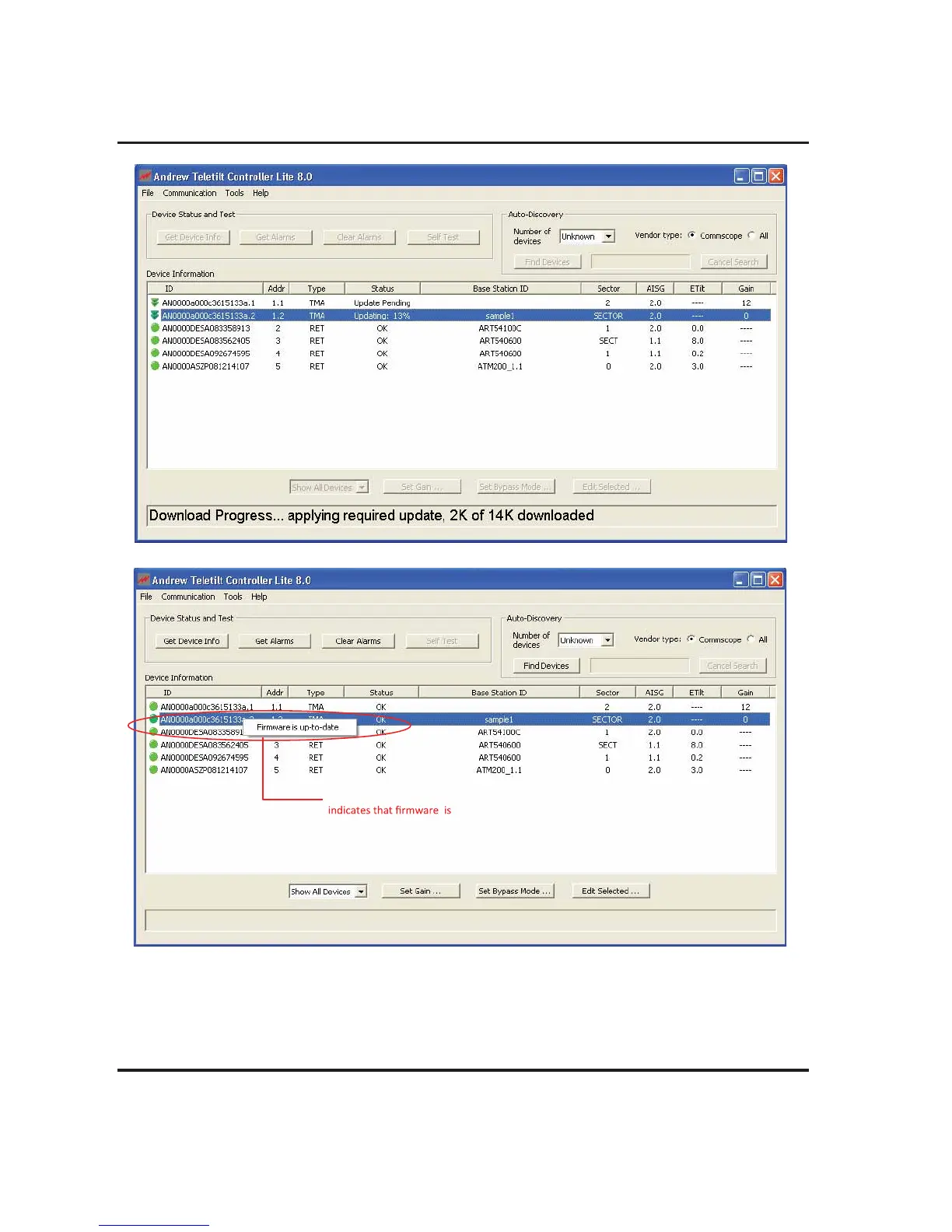
Figure 3-6. Firmware update status
After successful completion of firmware update the right click on the TMA display “Firmware is up-
to-date” indicates that the firmware on TMA is updated to the latest version provided with ATC Lite.
Firmware updates for TMA were placed in the C:\Program Files\Andrew Corporation\ATC Lite\TMA
directory of the computer when the ATC Lite setup file is run.
Figure 3-5. Firmware update in progress.
Select TMA, right click menu
updated to the latest version



 To Next Page