ComNav T300 + CGSurvey User Guide
20
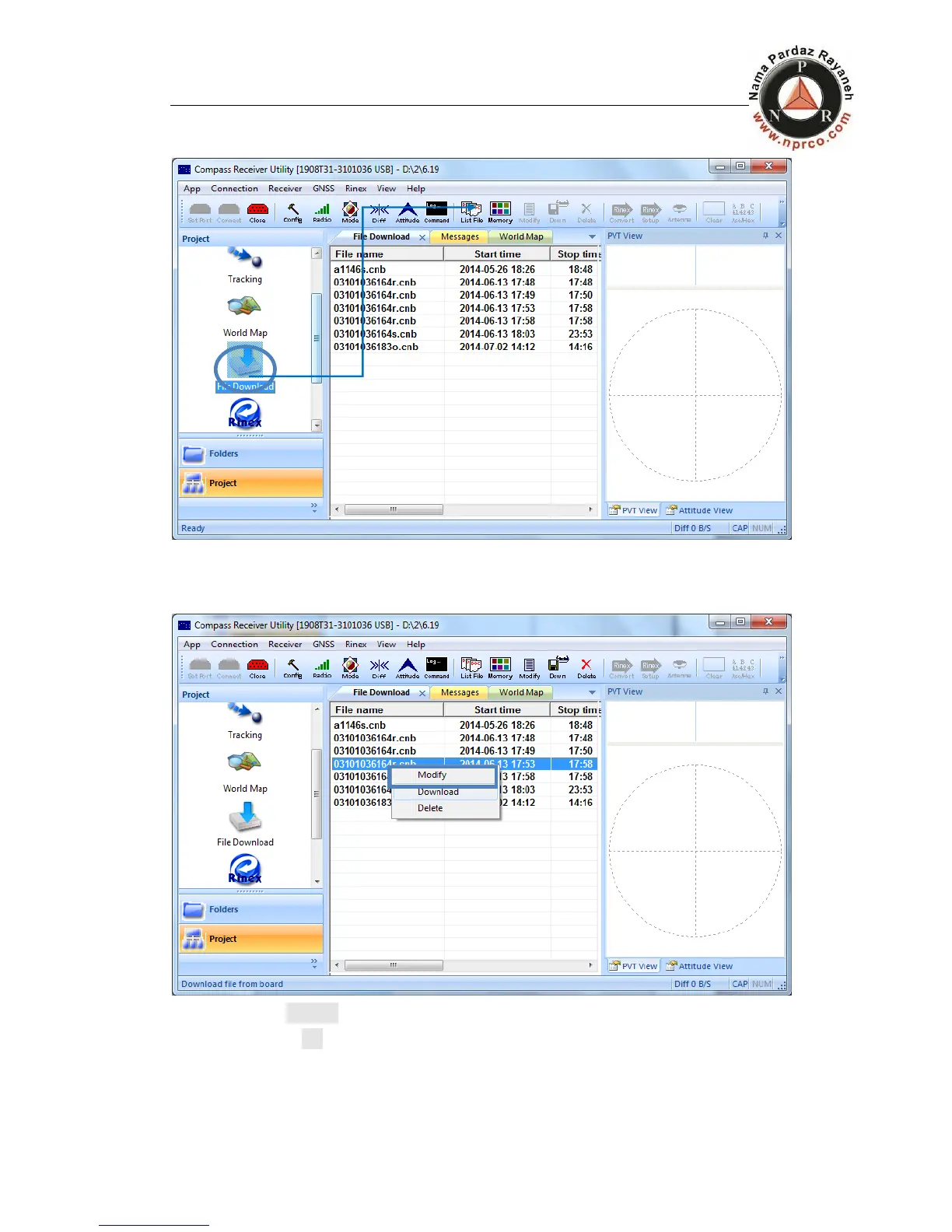
to refresh, as shown in figure below
4. Choose the corresponding data, right click and then you can edit the data by
means of Modify, Download and Delete. You also can use the corresponding
shortcut keys in the shortcut bar, as shown in below.
Choose Modify, only two important information need to be modified. After
that, click OK.
Name: station marker
Antenna: the antenna height of T300.



 To Next Page