72 - Managing the DeviceMaster LT
DeviceMaster LT User Guide: 2000586 Rev. B
Updating Firmware Across WANs (Windows)
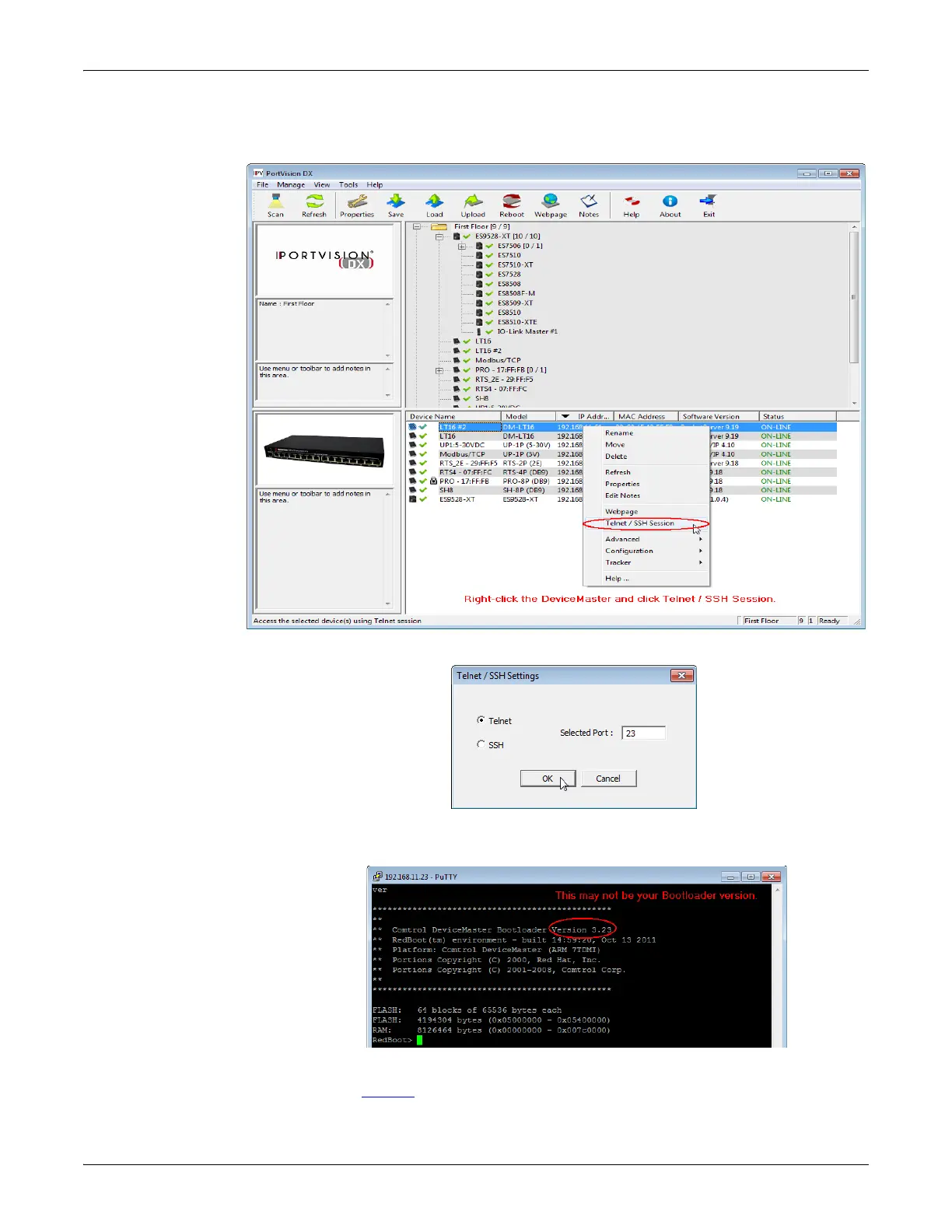
6. In PortVision DX, right-click the DeviceMaster LT in the Device List pane for
whi
ch you want to upload the latest SocketServer. and click Telnet/SSH Session.
7. Leave the popup set to Te
lnet and Selected Port 23, and click Ok.
8. Make sure that the Bootloader ve
rsion number displays with the RedBoot>
prompt.
If the Re
dBoot> prompt does not appear, reboot the DeviceMaster LT and try
again. You must be at the RedBoot> prompt for the following steps to work.
Repeat
Steps 6 through 7.



 To Next Page