12
Automatic timer You can switch the oven on and off via the electronic
clock.
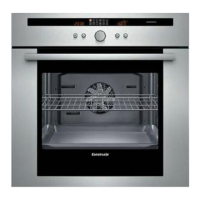
Automatic switch off Baking or roasting starts straight away.
1. Select the heating system and the oven
temperature.
2. Press the > button until the ? symbol flashes
and set the ON time with the rotary knob
(example. 1 hour and 30 minutes).
When the setting has been made, the current
time is displayed after approx. 4 seconds.
The ? symbol signals automatic mode.
3. When the time has elapsed, (example. 1 hour and
30 minutes), a signal is emitted and the !
symbol flashes.
The oven switches off automatically.
To stop the signal early, press the > button.
4. Switch the oven off.
5. To end automatic mode, press the > button
again.
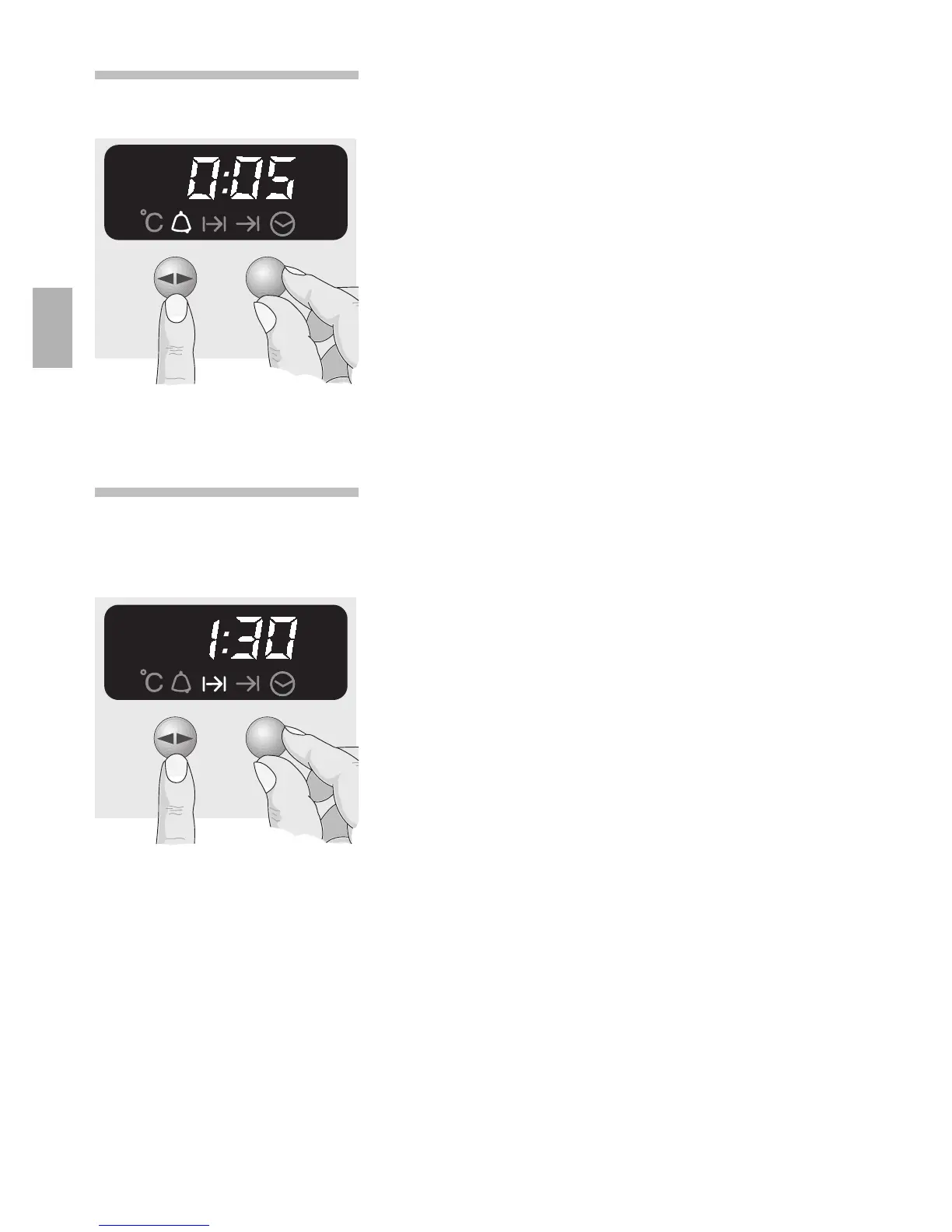
Minute timer
1.
Press the > button and set the time
(e.g. 5 minutes).
When the timer switches on, the remaining time is
displayed.
2. When the time has elapsed, a signal is emitted
and the
,
symbol flashes. To stop this signal
press the > button.


 To Next Page