6
© Control Concepts Inc., 2013
www.ccipower.com 1-800-765-2799
Compact FUSION Installation Manual Revision 3.50.2
1
2.4.2 Mounting Instructions
Mounting Kit includes:
(1) Gasket (4) Screws
(1) Ferrite (1) 5 or 25 foot shielded cable
(1) Display retainer (1) Empty Display with CCI logo to replace actual display
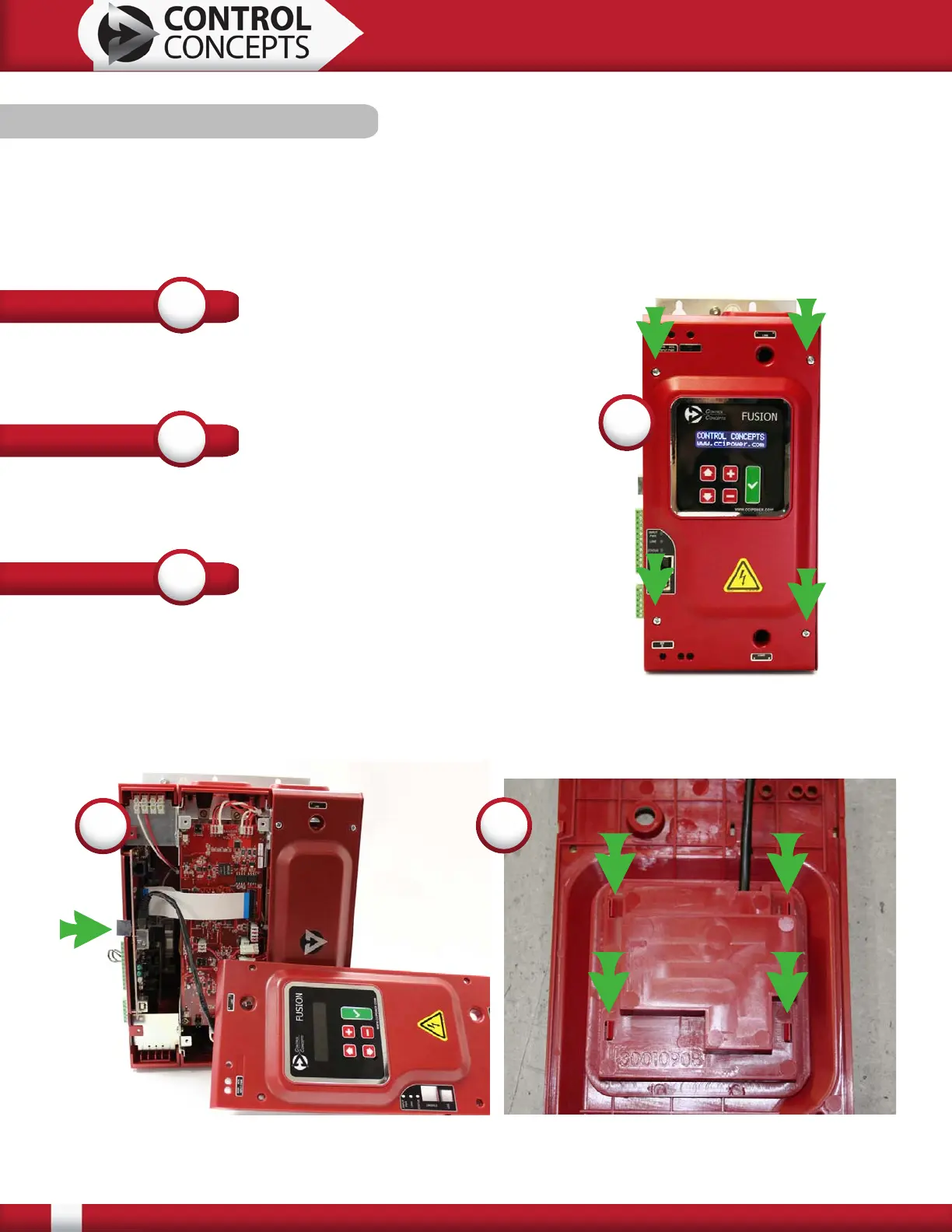
Carefully remove the 4 screws securing the lid.
(See Number 1, right)
STEP
1
STEP
2
Disconnect the display cable from the controller.
(See Number 2, bottom left)
STEP
3
Remove the display from the lid. The four tabs holding
the display into the lid are marked.
(See Number 3 bottom right)
2
3


 To Next Page