28
© Control Concepts Inc., 2013
www.ccipower.com 1-800-765-2799
Compact FUSION Installation Manual Revision 3.50.2
APPENDIX C: Fuse Replacement
The following procedure will demonstrate how to replace a fuse on a three phase 80 Amp controller.
The same technique can be used to replace a fuse on any type of Compact FUSION controller.
1. Turn the line and control power OFF.
2. Remove the lids.
3. Remove internal wiring necessary to remove
Gate Driver board.
4. Remove screws and Gate Driver board.
5. Replace fuse.
6. Reinstall Gate Driver board.
7. Connect internal wiring.
8. Replace lids.
9. Apply control and line power and verify that the
controller does not exhibit a blown fuse indicator.
General procedure guidelines:
STEP
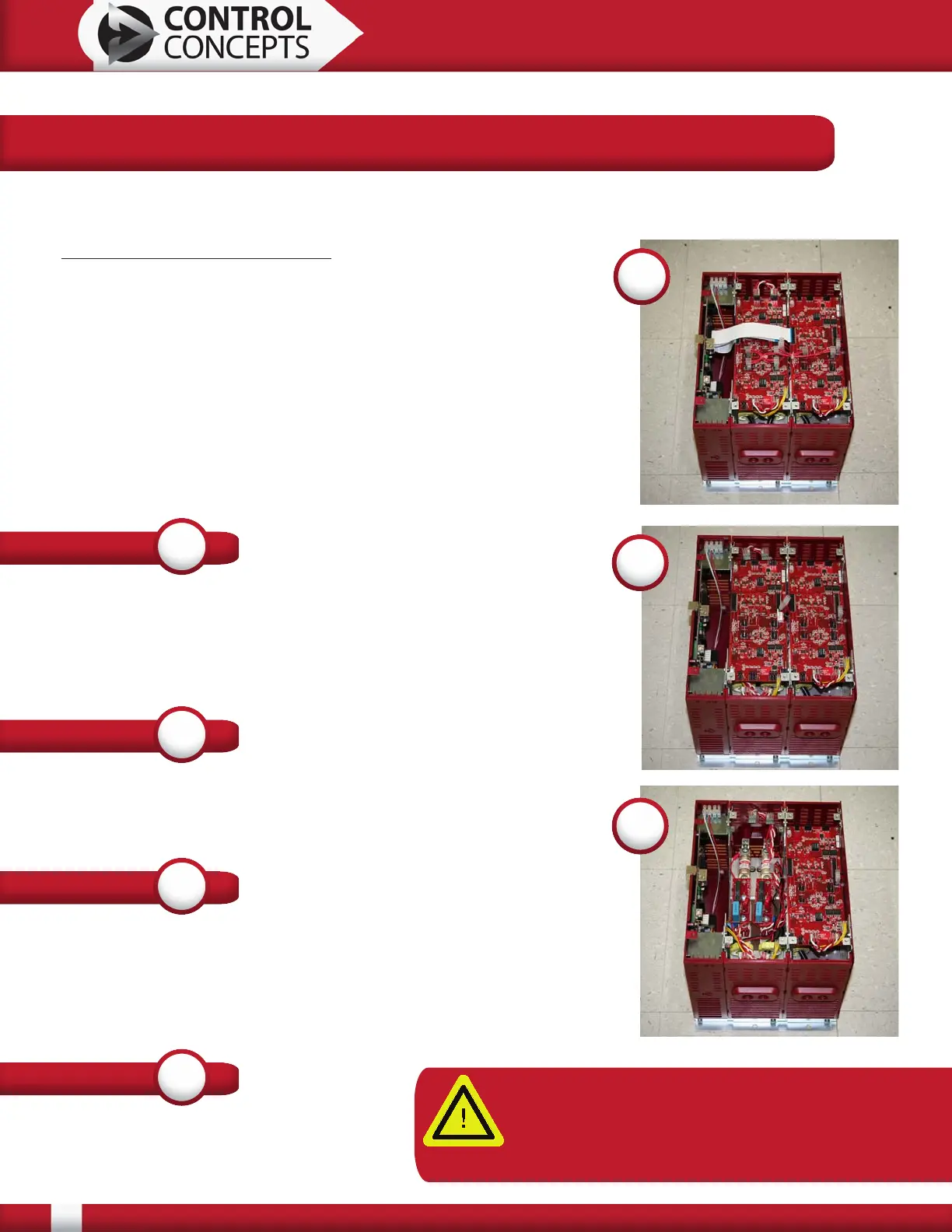
1
The line power and the control power must be OFF before
replacing any fuse. Use a screw driver to remove all of the lids.
Depending on the type of controller there will be two or three
boards connected together, a Control board and one or two Gate
Driver boards.
1
STEP
2
Gently remove all wires from the top of Gate Driver board by
simply pulling up on the connectors. Do not pull on wires. This
may cause damage to the wire harness.
STEP
3
The white flat flex cables (FFC) also need to be removed. There
is a key tab that holds the FFC in the connector. The key needs
to be pulled towards the cable from both edges of the connector.
It can than be gently lifted up and the cable can be easily
removed. The key tab stays attached to the connector.
3
4
STEP
4
Remove the 4 screws in the corners of
the Gate Driver board. Gently lift the
board out of the controller.
NOTE: It is recommended that a person be
statically grounded when touching any circuit
board when it is outside of the controller.
Failure to do this may damage the board.


 To Next Page